Beat Fire – Edm Gun Music Game
v2.2.5
• Unlimited Coins
| Updated On | |
|---|---|
| Google Play ID | com.galaxy.piano.moonlight |
| Category | Music |
| Version | 1.0.31 |
| Size | 99 MB |
| MOD Features | Unlimited Crowns |
| Requires | Android 6.0 |
| Price | |
| Free | |
| Content Rating | |
| Everyone | |
| Internet Required | |
| Unknow | |

Galaxy Piano: Scrolling Rush MOD APK delivers an entertaining rhythm experience where players tap falling piano tiles to recreate popular melodies. Developed by Moonlight Studio2025, this music game combines familiar Piano Tiles mechanics with a diverse song collection, colorful visual effects, and competitive challenges. With millions of downloads and a 4.6-star rating on Google Play according to the provided figures, it is an appealing choice for anyone who enjoys testing their musical reflexes.
Music games offer a fun way to enjoy favorite songs while challenging your concentration and reaction speed. Galaxy Piano: Scrolling Rush takes advantage of this concept by turning familiar melodies into interactive rhythm challenges. Instead of simply listening to music, you must follow the falling notes and tap them at precisely the right moments to achieve impressive results.
Developed by Moonlight Studio2025, the game features a collection of popular tracks alongside different difficulty settings and competitive activities. Its straightforward controls make it accessible to newcomers, while increasingly demanding levels provide something for experienced rhythm game enthusiasts. Whether you enjoy K-pop, trending international hits, or energetic electronic music, there are plenty of tracks to explore.
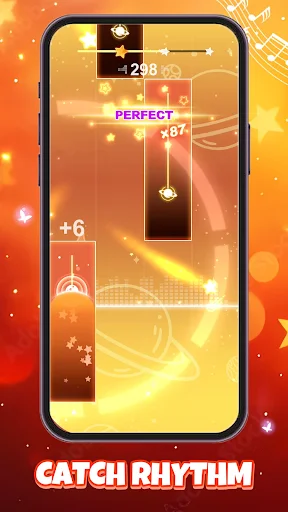
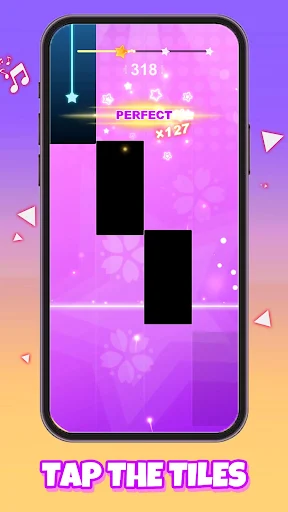
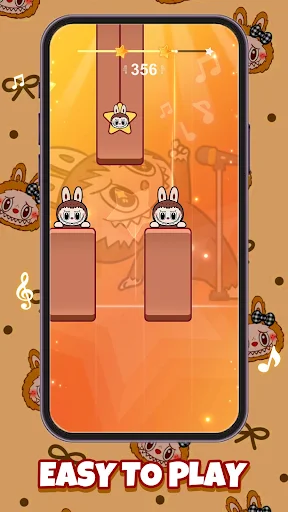
Galaxy Piano: Scrolling Rush follows the familiar gameplay formula of the <Link url=”https://apkmody.com/games/magic-tiles-3″ title=”Piano Tiles genre”/>, where musical notes appear as moving tiles that players must tap before they reach the bottom of the screen. To begin, select a song from the available collection and pay attention to the rhythm as the tiles start falling. Each successful tap contributes to your performance, creating the feeling of playing the melody yourself.
Accuracy is particularly important because every level features a designated scoring line. Tapping a tile precisely when it reaches this position activates the Perfect effect, helping you earn a higher score. Missing a note can immediately end your attempt unless you use an available continuation option. Fortunately, you can restart failed songs and practice until you become more familiar with their patterns.
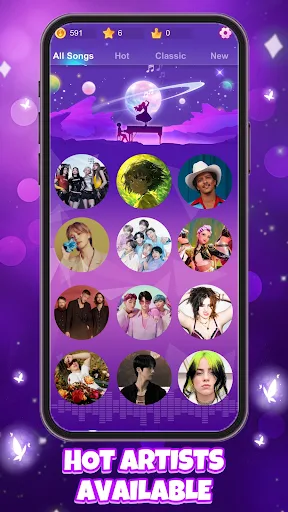
One of the most attractive features of Galaxy Piano: Scrolling Rush is its extensive song library. Although the developer does not provide an exact number of available tracks, the main interface displays a substantial selection covering different musical tastes. You can encounter recognizable hits such as APT. by ROSÉ and Bruno Mars, along with electronic tracks like Montagem Tomada by MXZI.
Finding a particular song is also relatively convenient because the collection is divided into several categories. Rather than browsing through one endless list, you can explore the available sections according to your interests:
New: Discover recently added tracks and explore fresh musical content.
K-pop: Enjoy popular Korean music and recognizable melodies from the K-pop scene.
Hot: Browse trending songs that are currently attracting attention.
All: Access the broader collection and search through the available music.
A quick navigation feature also allows you to return to the beginning of the song list without scrolling manually for too long. This organization makes discovering new tracks easier, especially when you have several favorite genres.
Galaxy Piano: Scrolling Rush offers two primary modes, providing different ways to enjoy its rhythm-based gameplay. Whether you prefer practicing independently or testing your abilities against other players, each option introduces its own objectives.
Single Player: This mode lets you enjoy individual songs at your preferred pace. Complete levels, improve your accuracy, and unlock additional tracks as you progress through the collection. It is a suitable starting point for beginners who want to become familiar with the controls and rhythm patterns.
PK: Enter competitive matches against other players and see who can achieve the highest score. You can select Master or Legendary difficulty, with match settings involving a deposit amount and potential rewards for winners. This mode adds extra pressure because every missed note can affect your chances of winning.
The two options complement each other well. Single Player helps you practice and improve your timing, while PK gives experienced players an opportunity to demonstrate their abilities in more challenging encounters.
Beyond its basic tapping mechanics, Galaxy Piano: Scrolling Rush includes several features designed to make the experience more personalized. Players can adjust music speed and choose difficulty settings that match their current abilities. These options are particularly useful when transitioning from simple melodies to faster tracks with more complicated note patterns.
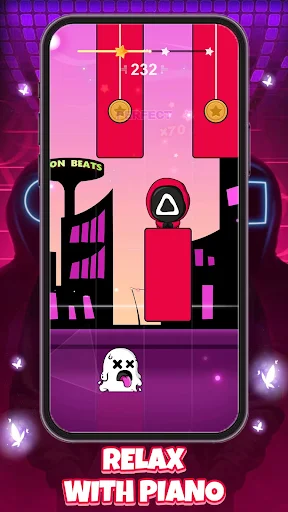
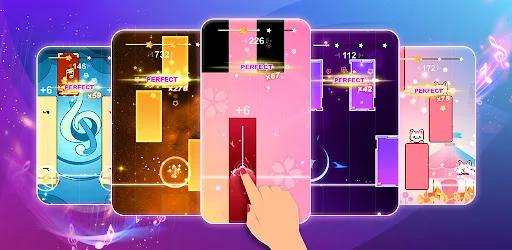
The visual presentation also contributes to the overall atmosphere. Smooth transitions, colorful effects, and song-related backgrounds create an engaging environment that follows the rhythm. Combined with recognizable melodies and responsive controls, these details help make each level feel more immersive. Using headphones is also recommended because it allows you to hear the musical timing more clearly while playing.
Despite its enjoyable gameplay, Galaxy Piano: Scrolling Rush has one noticeable weakness: its advertising frequency. Advertisements do not necessarily interrupt every active song, but they can appear whenever you perform common actions, such as returning to the previous screen or selecting another track.
Some promotional clips disappear after only a few seconds, while others may require a much longer wait. This can become frustrating when you simply want to switch songs or restart a level. The presence of a VIP option that removes advertisements may also encourage players to consider a paid upgrade. For those who prefer uninterrupted entertainment, the frequent promotional content is an important drawback to consider.
The modified edition provides an additional advantage for players who want more flexibility when accessing certain in-game resources. Instead of relying entirely on regular progression, you can enjoy an expanded resource supply that makes various activities more convenient.
Unlimited Crowns
The MOD version provides unlimited Crowns, giving players access to a much larger supply of this in-game currency. This feature can make resource management less restrictive and reduce the need to spend time collecting additional Crowns through regular gameplay.
Please note that modified APK files are unofficial versions and may not support every feature or online function exactly as the original release does.
Galaxy Piano: Scrolling Rush combines popular music, simple controls, and increasingly challenging rhythm levels to create an enjoyable experience for casual players and music enthusiasts. The unlimited Crowns feature in its MOD edition adds another convenience, while the different modes provide opportunities to practice alone or compete against others. Put on your headphones, follow the melodies, and see how accurately you can complete each track.
Here is another way to install the game through APKMODY:
Find the game: Visit APKMODY using your Android browser and search for Galaxy Piano: Scrolling Rush MOD APK.
Open the download page: Select the correct result to view the game’s introduction, MOD information, and available file details.
Prepare the APK: Tap the MOD download link and allow your browser to save the installation package.
Locate the downloaded file: Open your phone’s Downloads folder or file manager and find the newly saved APK.
Complete installation: Select the package, grant installation access to your browser or file manager when Android requests it, and wait for setup to finish.
Start playing: Open Galaxy Piano: Scrolling Rush and explore its music library, game modes, and available features.