
WOTH Europe
v1.0.12
• Unlocked DLCs

| Updated On | |
|---|---|
| Google Play ID | com.dotnine.faug |
| Category | Shooter |
| Version | 1.2.038 |
| Size | 1 GB |
| MOD Feature | Not available |
| Requires | Android 10 |
| Price | |
| Free | |
| Content Rating | |
| Teen | |
| Internet Required | |
| Required | |

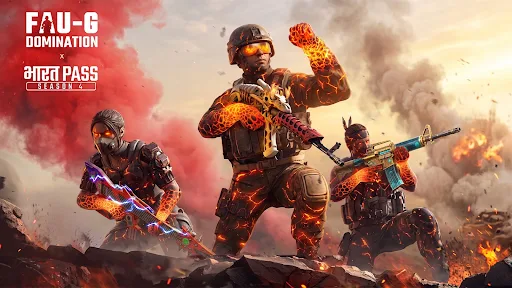
FAU-G: Domination MULTIPLAYER takes the FAU-G franchise in a new direction with competitive first-person shooter gameplay and online multiplayer battles. Developed by India’s Studio nCORE, this mobile FPS introduces tactical team fights, diverse weapons, distinctive characters, and several exciting game modes. Whether you prefer coordinated 5v5 matches or testing your shooting skills alone, there are plenty of ways to enter the battlefield.
FAU-G: Domination MULTIPLAYER represents a major change from the original FAU-G experience. Instead of focusing primarily on single-player action, this installment puts multiplayer combat at the center of its design. Players compete in fast-paced FPS matches where aiming accuracy, movement, weapon selection, and teamwork all contribute to victory.
The game also introduces several systems that add depth to its combat. You can experiment with different weapon combinations, choose characters with individual abilities, and learn the layouts of various maps. These elements give each match its own rhythm while making the experience more engaging for players who enjoy competitive mobile shooters.
FAU-G: Domination MULTIPLAYER features five game modes, each built around a different objective. Some emphasize teamwork and coordinated attacks, while others test individual reflexes and weapon mastery. This variety allows you to change your approach whenever you want a different kind of firefight.
Here is a closer look at the available modes:
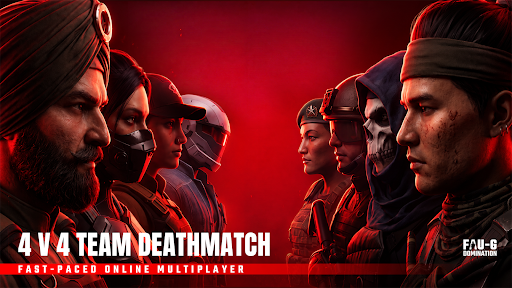
Team Deathmatch (5v5): Two teams of five players compete to reach the required kill count first. Matches take place on relatively compact maps, encouraging frequent encounters and continuous combat. You can select your loadout before entering the battlefield, including primary weapons, secondary guns, and grenades. A match lasts up to six minutes or ends when a team reaches 40 kills.
Free For All: Every player fights independently, with no teammates or alliances. Your objective is to eliminate as many opponents as possible before the timer expires. This mode is particularly useful for practicing aim, movement, and quick reactions.
One Shot One Kill: Precision becomes essential because a single successful shot is enough to eliminate an opponent. Players use powerful sniper rifles, while healing and armor are unavailable. Careless movement can quickly turn into a costly mistake.
Weapon Master: Progress through a sequence of 20 weapons by eliminating opponents. Each successful kill moves you to another firearm, ranging from pistols and shotguns to SMGs and sniper rifles. The first player to complete the entire weapon sequence wins.
Sniper Duels: Face opponents in focused 1v1 or 2v2 sniper encounters. Patience, positioning, and accurate shots matter more than rushing into combat. These special modes may rotate through events or weekly schedules.
A broad selection of firearms gives FAU-G: Domination MULTIPLAYER plenty of room for experimentation. Its arsenal contains more than 40 weapons across several categories, including assault rifles, SMGs, shotguns, sniper rifles, LMGs, and pistols. Each group serves a different purpose, so choosing the right firearm for your preferred approach is an important part of preparation.
Assault rifles such as the AK47 and M4A1 offer a balanced combination of damage and controllability, making them suitable for various combat situations. Meanwhile, SMGs like the UZI and Vector deliver rapid fire at close range, particularly useful when surprising enemies or moving through narrow passages. Shotguns are especially dangerous in confined spaces, where their powerful close-range attacks can give you an advantage.
Sniper rifles provide another option for players who prefer engaging enemies from a distance. The selection includes bolt-action and semi-automatic models, with the Kar98K standing out among the available choices. Pistols serve as backup weapons when your primary firearm runs out of ammunition, although certain models, such as the Desert Eagle, can still inflict considerable damage.
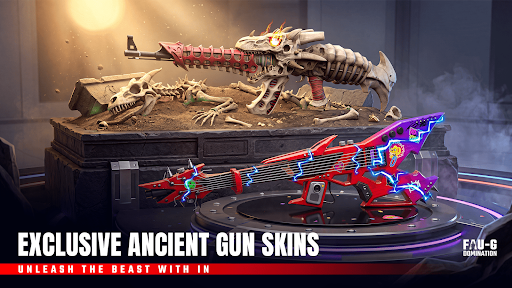
Weapon handling also differs according to recoil, reload speed, and effective range. You can visit the Practice Range to test these characteristics before taking a firearm into a real match. Although cosmetic customization is more limited than in some larger FPS titles, skins such as Crimson Blaze and Desi Tiger add distinctive Indian-inspired designs to the collection.
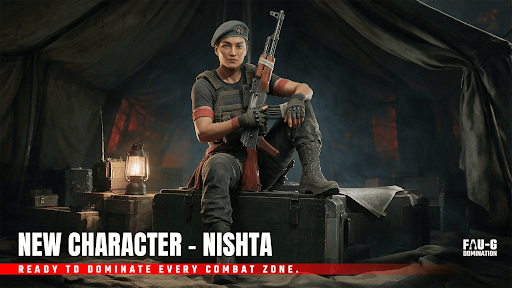
Gun selection is only one part of combat in FAU-G: Domination MULTIPLAYER. The game also features a hero-shooter element through characters equipped with individual abilities. These skills introduce additional tactical possibilities, especially when used alongside teammates during objective-based encounters.
Some examples include:
Raj: Temporarily increases movement speed for five seconds, helping you reposition or close the distance to an opponent.
Veera: Fires an explosive projectile that deals damage across an area, making it useful against enemies gathered together.
Karan: Activates a temporary shield capable of blocking three consecutive bullets, providing extra protection during an aggressive push.
Each ability has a cooldown, so activating it at the wrong moment may leave you without an important advantage later. For example, Karan can help absorb incoming fire while teammates advance through a narrow passage. Meanwhile, Raj’s movement boost offers opportunities to escape dangerous situations or approach opponents more quickly.
The character roster currently includes around 10 options, with additional additions expected through future updates. Learning what each character does will help you select a suitable combination of abilities and weapons for your preferred playstyle.
Map awareness plays an important role in competitive matches. FAU-G: Domination MULTIPLAYER features several environments inspired by locations across India, each offering different routes, hiding spots, and engagement distances. Knowing where enemies are likely to appear can help you avoid ambushes and choose more effective attack positions.
Some notable maps include:
Delhi Delight: Features numerous corners and narrow spaces where players can use cover to surprise approaching opponents.
Mumbai Mayhem: Takes place in an abandoned industrial environment with underground passages and multiple routes.
Chennai Chaos: Offers several floors and rooftops, creating opportunities for vertical combat and long-range encounters.
Jodhpur Alley: Contains tight pathways and confined corners where shotguns become particularly effective.
Rather than relying on the same tactics everywhere, you should adjust your movement according to the surrounding architecture. Open areas may favor rifles and snipers, while enclosed corridors reward players who understand close-range combat. Spending time exploring each environment will make it easier to anticipate enemy movements and support your team.
FAU-G: Domination MULTIPLAYER includes a progression system that gives players additional goals beyond winning individual matches. By participating in battles and completing objectives, you earn XP that contributes to your overall level. Strong performances, including earning MVP recognition, can provide further progression incentives.
The seasonal Battle Pass introduces another layer of rewards. Depending on the available season, players can work toward unlocking cosmetic skins, characters, and virtual currency. Daily and weekly missions also encourage regular participation through objectives such as eliminating opponents, completing matches, or achieving particular scores.
This structure makes progression feel rewarding without requiring every session to become an intense competitive grind. You can gradually complete missions, collect available items, and work toward new milestones at your own pace.
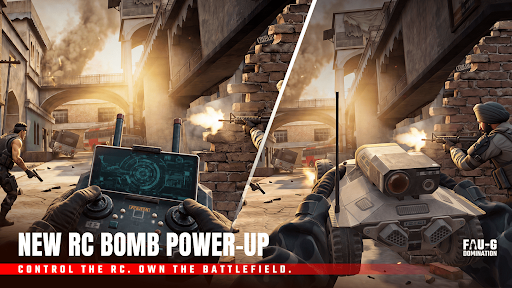
FAU-G: Domination MULTIPLAYER delivers a visual presentation designed for mobile devices. Character models feature recognizable details, while gunfire, explosions, and grenade effects help create a more engaging battlefield atmosphere. Although the graphics may not reach the visual standard of larger FPS productions such as Call of Duty: Mobile, the overall presentation provides a suitable foundation for its fast-paced matches.
Sound design is another important part of the experience. Different firearms produce recognizable shooting effects, while directional audio helps you identify where nearby combat is taking place. Paying attention to these sounds may reveal enemy positions before you see them on screen.
The background music in the main menu also adds personality to the game, drawing inspiration from Indian cinematic styles. Combined with its battlefield effects, the audio presentation gives FAU-G: Domination MULTIPLAYER a recognizable identity.
If you enjoy mobile FPS games and want to try something different from familiar titles such as Call of Duty: Mobile or PUBG Mobile, FAU-G: Domination MULTIPLAYER is worth exploring. Its selection of combat modes, extensive weapon collection, character abilities, and India-inspired maps provides an interesting multiplayer experience.
Get the APK through APKMODY with this quick process:
Visit APKMODY and search for FAU-G: Domination MULTIPLAYER.
Open the game’s dedicated download page and check the available version details.
Choose the APK download option to save the installation package to your Android device.
After the download finishes, open the file through your notification panel or file manager.
If prompted, allow installation from that source in your Android settings, then return to the installer.
Complete the setup and launch the game. Follow any additional in-game prompts before joining your first match.