home chevron_right Games chevron_right Simulation chevron_right Farming Simulator 26 Mobile

West Escape
v1.0.32
• Unlimited Resources

| Updated On | |
|---|---|
| Google Play ID | com.giantssoftware.fs26.google |
| Category | Simulation |
| Version | 0.0.0.40 - Google |
| Size | 2 GB |
| MOD Features | Unlimited Money, Unlock |
| Requires | Android 12 |
| Price | |
| $4.95 | |
| Content Rating | |
| Everyone | |
| Internet Required | |
| Unknow | |

Farming Simulator 26 Mobile invites players to experience the challenges and rewards of running a modern agricultural business directly from their smartphones. From preparing fields and cultivating crops to operating powerful machinery and caring for livestock, every activity contributes to the growth of your farm. With detailed vehicle systems, diverse agricultural operations, and strategic business management, this farming simulation game offers an engaging experience for fans of virtual countryside adventures.
Running a successful farm requires patience, practical decisions, and the right equipment. Farming Simulator 26 Mobile places you in charge of an agricultural operation where every decision influences productivity and long-term development. You begin with available land and basic resources before gradually expanding your business through cultivation, harvesting, and livestock management.
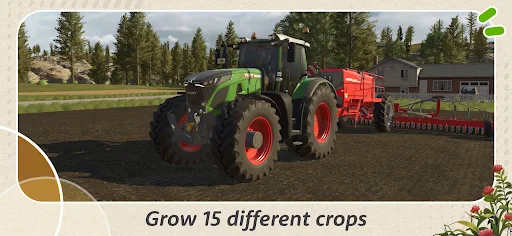
Growing crops such as wheat, corn, and cotton provides opportunities to generate revenue, while animal husbandry introduces additional responsibilities and production possibilities. However, farming is not simply a matter of planting seeds and collecting harvests. You must also monitor expenses, purchase suitable machinery, organize daily operations, and determine how to distribute your resources efficiently. These interconnected activities create a deeper experience than conventional farming games.
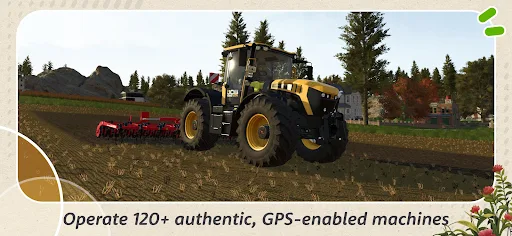
Machinery plays an essential role in maintaining an efficient agricultural operation. The game features an extensive selection of specialized vehicles, including tractors, harvesters, transport trucks, and equipment designed for different farming tasks. Each machine serves a particular purpose, requiring players to choose suitable tools for preparing fields, planting crops, collecting harvests, and moving products.
Vehicle handling also contributes to the simulation experience. Engine sounds, mechanical details, and driving behavior help recreate the feeling of operating heavy agricultural equipment. Investing in better machinery can improve working efficiency, reduce the time needed for certain activities, and support the expansion of your farming business.
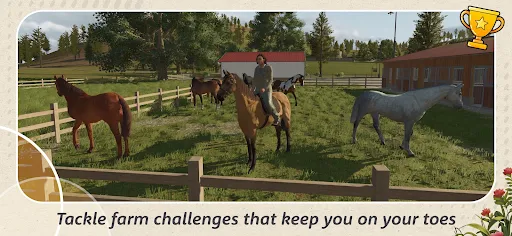
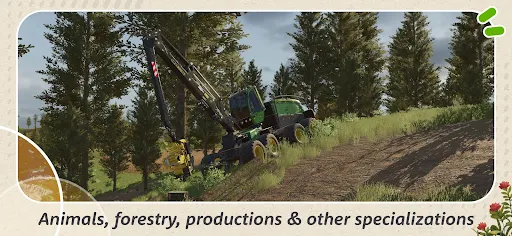
There is much more to explore beyond traditional crop cultivation. Players can develop livestock operations, manage dairy production, transport agricultural goods, and participate in forestry-related activities. These additional responsibilities create alternative ways to generate income while introducing different equipment and management requirements.
The surrounding environment also contributes to the atmosphere of rural life. Large landscapes, changing weather conditions, and day-and-night transitions make everyday operations feel more dynamic. Whether you are working under bright sunshine or preparing equipment for another day, the varied environments help maintain the immersive quality of the simulation.
Building a productive farm takes more than purchasing expensive equipment. New players should establish a reliable financial foundation before investing heavily in expansion. Consider these approaches when planning your agricultural activities:
The most effective approach is to develop your farm according to its current production capacity. Maintaining a balance between income, equipment purchases, and operating expenses will help prevent financial difficulties as your agricultural business grows.
Want to take your farming operation wherever you go? Use the following download procedure to locate Farming Simulator 26 Mobile on APKMODY and prepare the installation on your Android device.
Part 1: Locate the correct game page
Part 2: Prepare the installation package
Before downloading, take a moment to review the information displayed on the game page:
| Information | What to Check |
|---|---|
| Game version | Confirm the available release number |
| File information | Review the APK size and package details |
| Device compatibility | Check the stated Android requirements |
| Download option | Select the appropriate APK package |
Part 3: Install and launch