Flip Master
v3.8.00
• Unlimited Money

| Updated On | |
|---|---|
| Google Play ID | com.ketchapp.dunkshot |
| Category | Sports |
| Version | 1.4.30 |
| Size | 145 MB |
| MOD Feature | Not available |
| Requires | Android 7.0 |
| Price | |
| Free | |
| Content Rating | |
| Everyone | |
| Internet Required | |
| Not Required | |

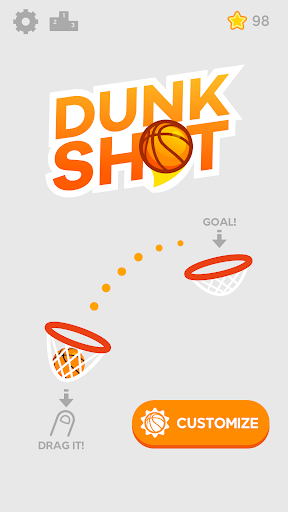
Dunk Shot is an entertaining basketball arcade game developed by Ketchapp, a publisher known for its simple yet addictive mobile titles. It combines intuitive swipe controls with physics-based shooting mechanics, allowing players to test their accuracy through increasingly difficult basketball challenges. With colorful graphics, unlockable balls, and endless scoring opportunities, Dunk Shot offers a fun experience for both casual players and basketball enthusiasts.
Ketchapp has built a reputation for creating mobile games that are easy to understand but surprisingly challenging to master. Dunk Shot follows this approach by turning the familiar sport of basketball into a compact arcade experience. Instead of complicated team formations, detailed rules, or realistic match simulations, the game focuses entirely on shooting accuracy and timing.
Your main objective is to throw a basketball through a series of hoops, earn points, and unlock new ball designs as you progress. The colorful presentation and straightforward mechanics make it accessible to players of different ages. Whether you have a few minutes during a break or want to spend more time improving your high score, Dunk Shot provides a convenient way to enjoy basketball-inspired entertainment.
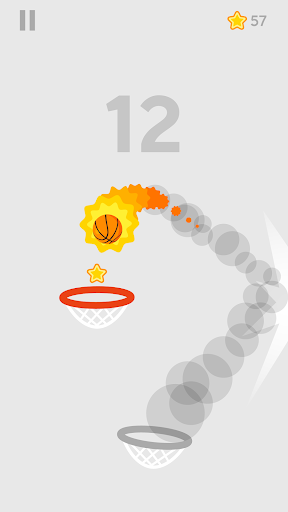
Dunk Shot uses a swipe-based control system that makes every attempt easy to perform. Simply touch the screen, pull your finger backward to adjust the shooting direction and power, then release to launch the ball toward the hoop. The ball follows a physics-based trajectory, so choosing the correct angle and strength is essential for successful shots.
Every successful basket allows you to continue toward the next hoop, which usually appears higher on the screen. However, missing a basket ends your current run, requiring you to start another attempt. Although the basic objective never changes, the increasing distance and changing positions of the hoops make each shot more demanding.
Players also need to understand how the ball moves after being released. Learning its trajectory, bounce behavior, and momentum will help you estimate the right amount of force for different situations. With enough practice, you can become more consistent and complete increasingly difficult shooting sequences.
Dunk Shot becomes more interesting as you continue scoring. The hoops gradually introduce additional movement patterns, including vertical and horizontal directions. Some targets move slowly at first, while later challenges feature faster movements that require better timing and concentration.
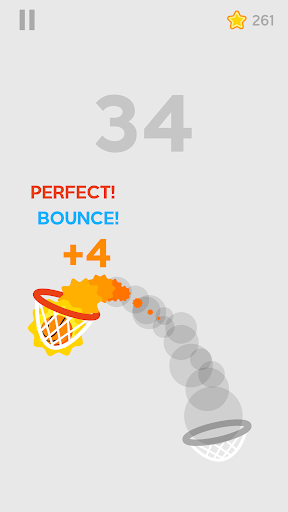
You can also experiment with different shooting techniques to earn higher scores. One interesting approach is bouncing the ball against a wall before guiding it into the basket. These trick shots require more precise calculations, but successfully executing them provides an extra sense of achievement.
The game rewards players who understand shooting angles rather than simply throwing the ball as hard as possible. As the difficulty increases, you must adapt your strategy to the position and movement of each hoop. This creates a satisfying learning curve despite the limited number of controls.
Besides improving your shooting performance, Dunk Shot encourages progression through its star collection system. Successful shots reward you with golden stars, with the amount depending on your performance and shooting accuracy. These rewards can be accumulated and used to unlock additional basketball designs.
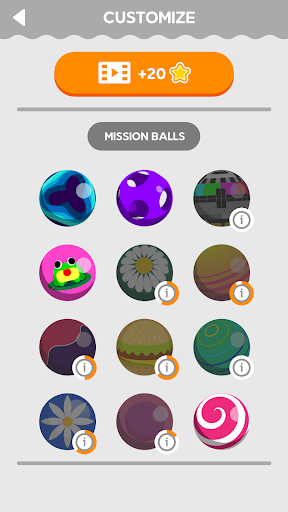
Many available balls feature different colors, shapes, and decorative styles. Some can be obtained by collecting enough stars, while others are associated with specific achievements or challenges. This gives players additional goals beyond simply achieving a higher score.
Unlocking new designs also adds visual variety to repeated gameplay sessions. Each ball has its own appearance and may provide a different visual impression while bouncing across the screen. Collecting them all can become an enjoyable side objective for players who want to explore everything the game offers.
Dunk Shot uses a minimalist visual style that keeps the focus on the basketball, hoops, and shooting trajectory. Its bright colors and clean backgrounds create a cheerful atmosphere without overwhelming the screen with unnecessary details. The simple presentation also makes it easy to identify moving targets and follow the ball throughout each attempt.
The game’s lightweight arcade design makes it suitable for quick entertainment sessions. You do not need to learn complicated basketball strategies or spend time managing a team. Instead, you can immediately start shooting and gradually improve through practice. Its straightforward presentation is one of the reasons Dunk Shot appeals to both younger players and adults looking for a casual game.
Want to test your basketball accuracy on Android? You can find Dunk Shot’s installation information through APKMODY. Use the following method to locate the game and install it on your device:
Enter the APKMODY website: Open Chrome or another browser on your Android phone and navigate to APKMODY.
Search by game title: Type Dunk Shot into the search bar and open the matching game listing.
Review the download information: Check the available version, APK file size, developer details, and Android compatibility.
Choose the installation package: Select the appropriate APK download option and wait for the file to be saved.
Find the downloaded APK: Open your file manager and access the Downloads folder to locate the installation package.
Allow installation if necessary: If Android displays a security prompt, grant your browser or file manager permission to install applications from that source.
Finish setting up the game: Tap the APK file, follow the installation instructions, and launch Dunk Shot once the process is complete.