
CSR 3
v0.30.3
• Racing
| Updated On | |
|---|---|
| Google Play ID | com.mastercomlimited.cardriving_t |
| Category | Racing |
| Version | 1.35.13 |
| Size | 178 MB |
| MOD Features | Cars Unlocked |
| Requires | Android 7.1 |
| Price | |
| Free | |
| Content Rating | |
| Teen | |
| Internet Required | |
| Not Required | |

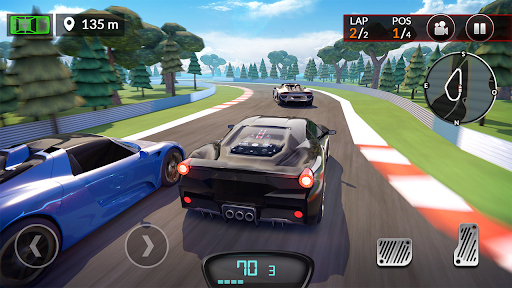
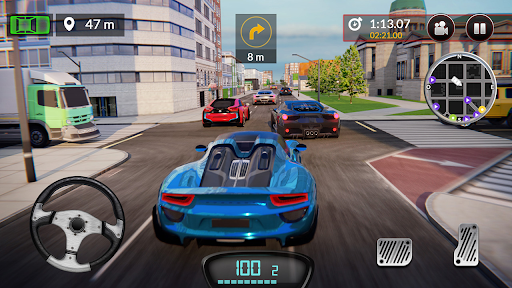
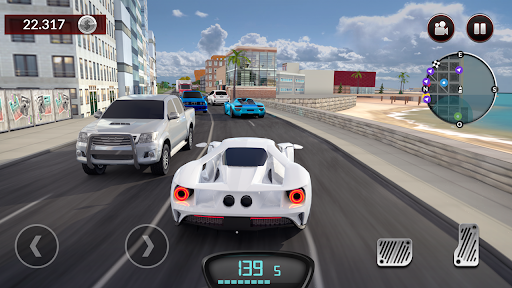
Drive for Speed: Simulator is a car-driving simulation that lets players explore busy streets, practice vehicle control, and take on a variety of road challenges. Instead of focusing entirely on competitive races, the game emphasizes everyday driving skills, from navigating traffic to completing delivery and parking tasks. With multiple vehicles, customization options, and an open driving mode, it offers a relaxed experience for fans of automotive games.
Many racing games put players straight onto a track, where speed and competition are the main priorities. Drive for Speed: Simulator takes a different approach by placing greater emphasis on vehicle handling and road navigation. You can get behind the wheel of different cars, learn how they respond to your controls, and practice dealing with situations that occur in a busy urban environment.
The game encourages you to improve through experience rather than simply defeat opponents. You must become familiar with steering, acceleration, braking, and maneuvering around other vehicles. Traffic conditions and unexpected obstacles require you to stay alert, making each trip an opportunity to develop better driving habits within the game’s simulated world.
This approach makes Drive for Speed: Simulator suitable for players who enjoy casual driving experiences without the constant pressure of leaderboard rankings or intense competition. It also provides a different kind of challenge for racing fans who want to explore vehicle control outside traditional circuits.
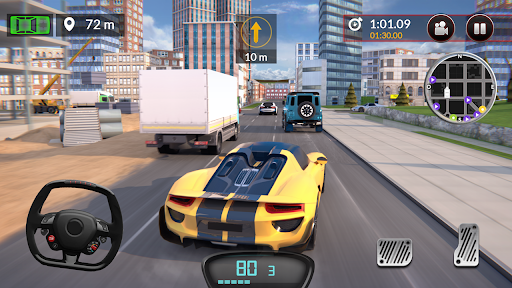
At the beginning, you receive a starter vehicle and basic instructions that explain the main controls. Once you understand how to operate the car, you can head onto the roads and begin exploring the city. However, driving around is not always straightforward because the streets contain various obstacles and traffic situations.
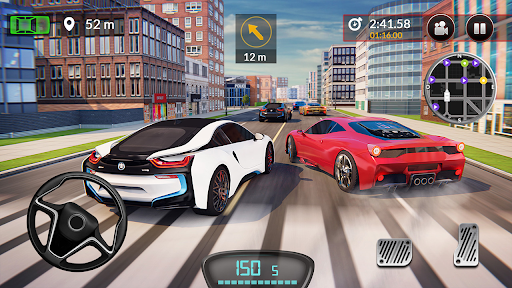
You need to watch out for roadwork, damaged surfaces, construction areas, other vehicles, and pedestrians who may unexpectedly cross your path. Different vehicles move at different speeds, so you must adjust your driving accordingly. Avoiding collisions and keeping your car in good condition are important parts of completing the experience successfully.
Beyond general driving practice, the game introduces a series of missions with specific objectives and time limits. Some tasks require you to deliver items, while others involve picking up passengers, parking in designated spaces, or following another vehicle. Each mission changes the way you approach the road, preventing the gameplay from becoming repetitive.
Completing objectives and driving carefully can earn you in-game rewards. You can spend this money on additional vehicles or upgrades that improve your current car. Better performance can make certain tasks easier to complete, while a larger garage gives you more options when choosing a vehicle for your next drive.
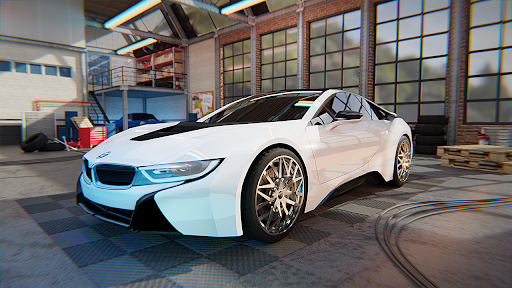
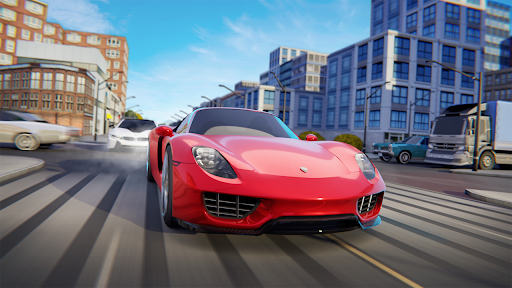
Drive for Speed: Simulator offers a garage containing more than 20 vehicles, giving players several options to explore. The cars feature different designs, colors, and driving characteristics, so choosing a vehicle is not only about appearance. Some models may feel more suitable for certain driving situations than others.
The selection includes vehicles inspired by recognizable automotive manufacturers such as BMW, Mercedes-Benz, and Ferrari. This variety adds appeal for players who enjoy collecting and trying different types of cars. Unlocking new models also gives you additional goals as you progress through the missions.
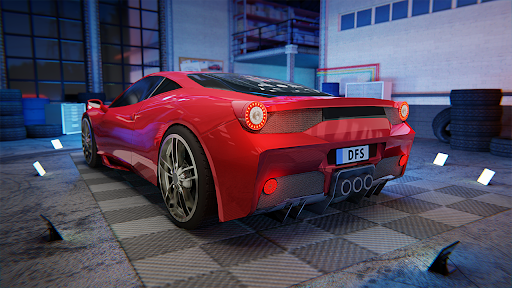
Customization is another important feature. If you prefer keeping your current vehicle instead of purchasing a new one, you can invest in upgrades such as engines and other equipment. These improvements can enhance the car’s performance, helping it accelerate more effectively and respond better to driving commands. You can also change its appearance to give it a more personal style.
The game provides two main modes, each offering a different way to enjoy the roads:
Simulation Mode: Complete structured missions with specific objectives and time limits. You must navigate traffic, avoid obstacles, and reach your destination while keeping the vehicle safe.
Free Driving Mode: Explore the city without being restricted by mission objectives or countdowns. Drive at your own pace and enjoy the open environment without worrying about completing tasks.
Simulation Mode is ideal when you want clear goals and rewards, while Free Driving provides a more relaxed experience. Switching between them lets you decide whether to focus on improving your driving performance or simply enjoy cruising around the city.
The MOD version is advertised with an unlocked vehicle collection. According to the supplied modification details, all cars in the game are available from the beginning, allowing players to explore different models without following the usual unlocking progression.
This feature is particularly useful if you want to try several vehicles and compare their handling or performance. However, the exact behavior may depend on the specific MOD build, so review its release information before installing.
You can find the Android installation package through APKMODY. Use this quick guide to select the correct version and complete the setup.
1. Locate the game
Visit APKMODY in your mobile browser and search for Drive for Speed: Simulator. Open the matching result to view its download information.
2. Check the package details
Before downloading, compare the available release versions. Pay attention to the file size, Android requirements, and whether the page describes the standard game or the MOD with all cars unlocked.
3. Download the APK
Choose the version you want and tap its download link. Wait until the file has been saved completely before moving to the installation stage.
4. Install it on your device
Open your Downloads folder, select the APK file, and confirm the installation. If Android asks for permission to install apps from your browser or file manager, enable the relevant setting temporarily and continue.
5. Open the game
Once installation is complete, launch Drive for Speed: Simulator and check that the game runs properly. You can then explore the available cars and start driving.