
I, The One
v3.82.04
• Unlimited Money

| Updated On | |
|---|---|
| Google Play ID | com.bandainamcoent.dbgekishinsquadra |
| Category | Action |
| Version | 1.7.20 |
| Size | 2 GB |
| MOD Feature | Not available |
| Requires | Android 10 |
| Price | |
| Free | |
| Content Rating | |
| Teen | |
| Internet Required | |
| Required | |

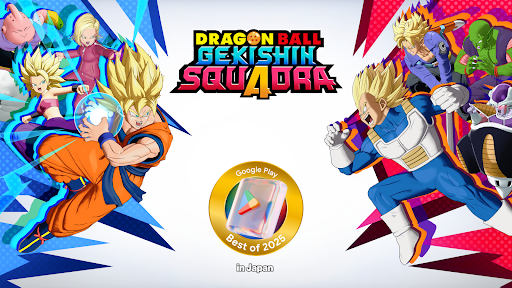
DRAGON BALL GEKISHIN SQUADRA is an action-packed team battle game developed by Bandai Namco Entertainment Inc. and released in September 2025, bringing the legendary Dragon Ball universe into a competitive MOBA experience. Players can assemble familiar heroes, choose specialized combat roles, and participate in intense 4v4 matches where teamwork and strategic decisions determine the outcome. With colorful 3D graphics, recognizable special attacks, and cross-platform support, the game offers a fresh way to experience battles featuring iconic anime characters.
Dragon Ball has entertained generations of fans through its manga, animated series, and numerous video games. From Goku’s legendary transformations to Vegeta’s relentless pursuit of strength, the franchise has introduced countless memorable characters and spectacular battles.
DRAGON BALL GEKISHIN SQUADRA brings these familiar elements into a different competitive format. Instead of following a traditional story campaign, the game focuses on team-based combat, allowing players to control their favorite warriors and challenge opponents in multiplayer arenas. Its straightforward approach makes it easy to jump into the action while leaving plenty of room for character mastery and tactical coordination.
Rather than introducing an entirely new narrative, DRAGON BALL GEKISHIN SQUADRA draws inspiration from the established Dragon Ball universe. Characters from different periods and story arcs come together in a shared battlefield, creating opportunities for exciting matchups that fans have always wanted to experience.
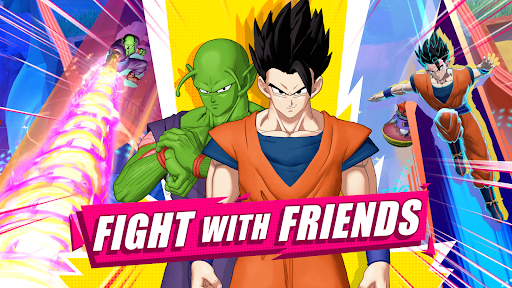
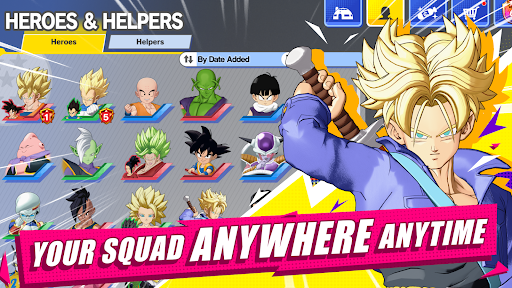
You can encounter recognizable warriors such as Goku, Vegeta, Gohan, and Piccolo alongside powerful opponents and allies from other parts of the franchise. Each fighter retains signature abilities and combat characteristics, giving the roster a familiar identity while adapting their powers to the game’s competitive mechanics.
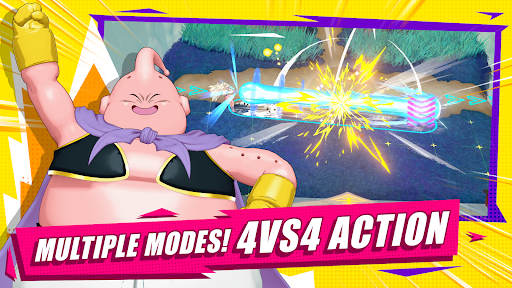
DRAGON BALL GEKISHIN SQUADRA uses a MOBA-inspired battle format in which eight players are divided into two opposing teams. Each participant selects a character and enters a battlefield where cooperation, positioning, and combat decisions are essential to victory.
The primary objective is to work alongside your teammates, eliminate enemy fighters, overcome defensive obstacles, and destroy the opposing team’s base. Simply rushing toward the enemy is rarely enough because coordinated attacks and appropriate character combinations can make a significant difference.
Besides fighting other players, you will encounter computer-controlled enemies and neutral units scattered throughout the battlefield. Defeating these opponents provides opportunities to develop your character’s strength before engaging in more demanding confrontations.
This progression system encourages players to balance farming and direct combat. Spending time clearing enemy units can help you gain an advantage, but ignoring important team fights may leave your allies at a disadvantage. Knowing when to collect resources, defend objectives, or launch an attack is therefore an important part of the experience.
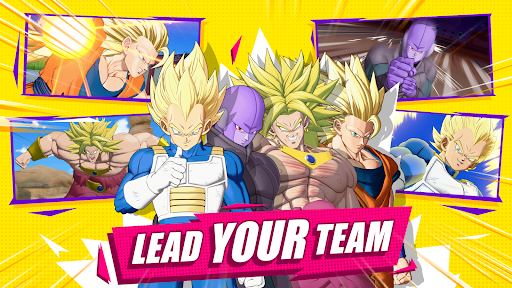
One of the biggest attractions of DRAGON BALL GEKISHIN SQUADRA is its collection of recognizable characters from the Dragon Ball franchise. The roster features different versions of familiar warriors, giving players plenty of opportunities to experiment with combat styles and team compositions.
To make battles more balanced, fighters are divided into three primary roles:
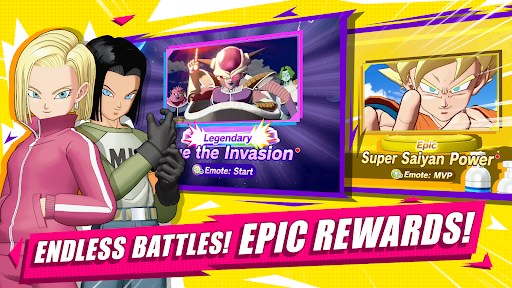
Damage: These characters specialize in offensive power and excel at eliminating opponents through powerful attacks and combinations. Goku Super Saiyan, Super Saiyan Trunks (Adult), and Android 17 are examples of fighters associated with this role.
Tank: Designed to withstand incoming attacks, tanks can protect teammates, disrupt enemy formations, and absorb pressure during team fights. Broly, Android 16, and Cooler represent this defensive-oriented category.
Technical: These fighters focus on utility and specialized abilities, including supporting allies, controlling opponents, and creating opportunities for coordinated attacks.
Every fighter brings distinctive techniques inspired by their appearances in the original series. Players can experience recognizable moves such as Goku’s Kamehameha and Piccolo’s Spiral Shot while exploring different ways to approach combat.
Understanding each character’s abilities is essential when building an effective team. Offensive fighters can pressure vulnerable targets, defensive specialists provide protection, and technical characters help control the flow of battle. Combining these strengths creates more opportunities to overcome opponents with different strategies.
DRAGON BALL GEKISHIN SQUADRA supports several gaming platforms, including Android, iOS, PC, and consoles. This allows players to join the same competitive environment regardless of their preferred device, expanding the potential player community.
Cross-platform multiplayer also makes it easier to enjoy matches with friends who use different hardware. However, playing against opponents with different control methods and device capabilities can create additional challenges, making adaptability an important skill.
Another useful feature is account synchronization through Bandai Namco ID. By connecting your account, you can maintain access to supported game progress and account information across compatible platforms. This reduces the need to manage completely separate profiles when switching devices.
The game adopts a third-person perspective, allowing players to observe their fighters and the surrounding battlefield during combat. Its 3D visual presentation combines recognizable anime designs with dynamic character models, colorful environments, and energetic battle animations.
Character appearances remain faithful to the Dragon Ball aesthetic, while special attacks recreate the explosive atmosphere associated with the original series. The familiar designs make it easy to recognize different fighters, even when several characters are participating in the same battle.
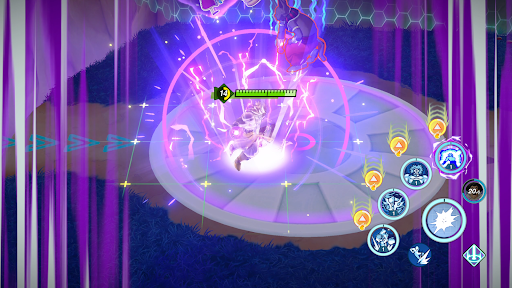
Combat effects are another highlight of the presentation. Powerful attacks can trigger screen-shaking effects, dramatic camera movements, and close-up animations that emphasize the impact of important abilities. These visual details make confrontations feel more energetic and entertaining.
Despite its detailed presentation, DRAGON BALL GEKISHIN SQUADRA provides graphics settings that allow players to adjust visual quality according to their hardware. Choosing suitable settings can help maintain smoother performance, particularly during crowded team fights where numerous effects appear simultaneously.
If you enjoy Dragon Ball characters and competitive multiplayer games, DRAGON BALL GEKISHIN SQUADRA offers an opportunity to experience familiar warriors in a new team-based format. Before installing, make sure your Android device meets the game’s requirements and has a stable internet connection.
You can check for the Android version on APKMODY by following this alternative download route:
How to get the game:
Launch Chrome or another browser on your Android phone.
Visit APKMODY.COM and enter DRAGON BALL GEKISHIN SQUADRA in the search field.
Open the game’s dedicated page and check the available release information, file size, and compatibility details.
If an APK download is provided, select the appropriate version and wait for the file to finish downloading.
Locate the downloaded package in your device’s Downloads folder, open it, and follow the installation instructions.