Knife Hit
v1.8.34
• Unlimited Coins
| Updated On | |
|---|---|
| Google Play ID | com.sandboxol.blockymods |
| Category | Arcade |
| Version | 3.32.2 |
| Size | 842 MB |
| MOD Feature | Not available |
| Requires | Android 6.0 |
| Price | |
| Free | |
| Content Rating | |
| Teen | |
| Internet Required | |
| Unknow | |

Looking for a game that offers more than one type of adventure? Blockman Go APK brings together a collection of sandbox-inspired mini-games, giving players the freedom to switch between creative activities, competitive matches, and multiplayer challenges. Developed by Blockman Go Studio, this gaming platform combines block-style environments with social features that make it easy to meet other players. Whether you enjoy defending your base, exploring floating islands, or competing in survival battles, there’s always another activity waiting to be discovered.
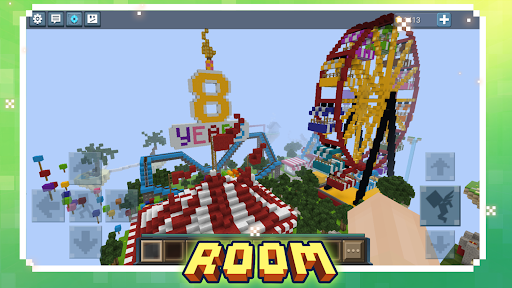
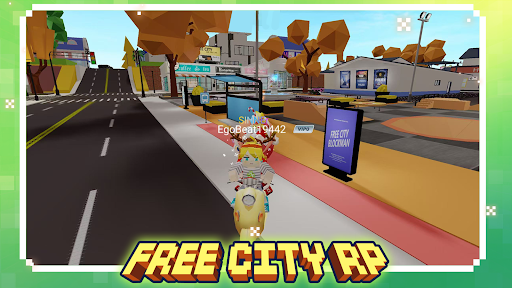
The biggest attraction of Blockman Go is its extensive collection of mini-games. Rather than focusing on a single gameplay style, the platform offers different experiences that appeal to players with various interests. Some activities emphasize teamwork and strategic planning, while others challenge your survival instincts or creativity.
Here are several popular mini-game types you can explore:
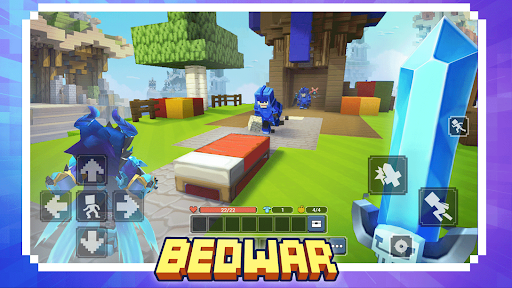
Bed Wars: Join a team, gather resources, strengthen your defenses, and destroy opposing teams’ beds. Protecting your own base is just as important as launching attacks.
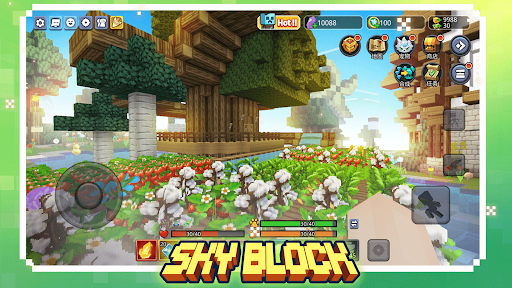
Skyblock: Begin with a small floating island and gradually expand it by collecting resources, constructing structures, and managing the limited space available.
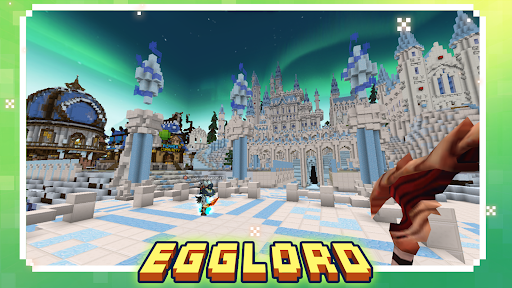
Egg Wars: Similar to Bed Wars, this mode revolves around protecting your team’s egg while attempting to destroy those belonging to your opponents.
Jail Break: Choose between the role of a police officer or a prisoner. One side must maintain order and prevent escapes, while the other looks for opportunities to break free.
Sky Royale: Enter a Battle Royale-style competition where players fight to survive until only one participant remains.
Each mini-game introduces its own rules and objectives, so you won’t need to follow the same strategy every time you switch activities. This variety makes Blockman Go suitable for players who enjoy experimenting with different genres instead of sticking to one familiar routine.
Although its mini-games have different objectives, Blockman Go maintains a recognizable block-style presentation throughout the platform. You control your character from within each environment, interact with surrounding objects, and complete tasks according to the selected mode. Depending on the activity, you might explore a map, collect materials, construct buildings, gather equipment, or fight against other participants.
This flexible approach gives the platform a sandbox atmosphere while keeping each experience focused. Creative modes encourage experimentation with available resources, whereas competitive activities require players to pay attention to their surroundings and make quick decisions. Those familiar with games like Minecraft may recognize some of the visual inspiration, but Blockman Go offers a more structured collection of separate mini-game experiences.
Your character is one of the easiest ways to express your personality in Blockman Go. The platform provides customization options that let you change your appearance rather than using the same default design as everyone else. You can explore different outfits, facial details, colors, and accessories to create a look that matches your preferences.
Customization items may be obtained through available rewards, challenges, or in-game purchases, depending on the content. Winning matches and participating in activities can also help you earn resources for unlocking additional options. If you enjoy collecting cosmetic items, experimenting with different combinations gives you another reason to keep playing.
The customization system also adds a social dimension to the experience. Distinctive appearances make it easier to recognize familiar players during multiplayer sessions and give your character a more personal identity within the community.
Blockman Go isn’t limited to individual gameplay. Its social features allow players to communicate, find teammates, and participate in activities with others. Whether you’re looking for someone to join a competitive match or simply want to spend time with friends, these tools help make the platform feel more like a shared gaming community.
Two useful social features include:
Chat System: Communicate with other players through text chat. You can coordinate strategies, invite people to matches, or start conversations while exploring the platform.
Clans: Create or join a group of players who share similar interests. Being part of a clan makes it easier to find teammates and cooperate in modes that require coordinated attacks or defensive strategies.
Playing with familiar teammates can make team-based mini-games more enjoyable, especially when everyone understands their role. At the same time, interacting with other members of the community gives you opportunities to discover new games and meet people with similar interests. Remember to use chat responsibly and avoid sharing personal information with strangers.
Want to explore the mini-games and meet other players? Instead of jumping straight into installation, use this quick download guide to prepare your device:
Get Blockman Go running on Android:
Start by opening the APKMODY website in your preferred mobile browser.
Use the website’s search function to find the Blockman Go APK download page.
Review the available release information, including the version and compatibility details.
Select the appropriate download option and wait for the APK package to finish saving.
Open your Android file manager and locate the downloaded file, usually inside the Downloads directory.
Tap the package to begin installation. If Android displays a security prompt, review the requested permission and allow installation from that source when necessary.
Once the process is complete, open Blockman Go, finish the initial setup, and choose a mini-game to start exploring.