TOEM: A Photo Adventure
v1.0.3
• Adventure
| Updated On | |
|---|---|
| Google Play ID | com.Tequilabyte.BladeOfShadows |
| Category | Adventure |
| Version | 1.0.1 |
| Size | 509 MB |
| MOD Feature | Not available |
| Requires | Android |
| Price | |
| Free | |
| Content Rating | |
| Teen | |
| Internet Required | |
| Unknow | |

Blade of Shadows is a game with the theme of adventure and dungeon exploration. The game belongs to the action genre and has rougelite elements. Blade of Shadows is released on mobile platforms by PlayStormRed.
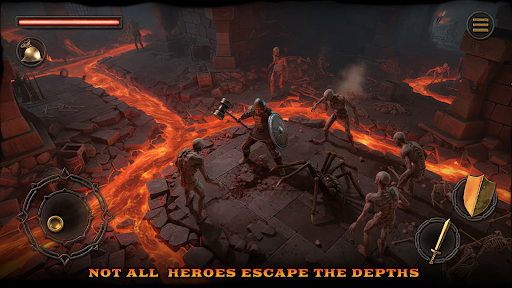
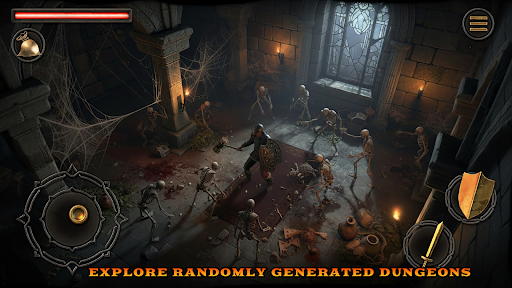
Blade of Shadows has a traditional top-down perspective. The camera position of Blade of Shadows is placed quite far above the character, giving the player a very wide field of view. Depending on the segment, the game can move horizontally, vertically, or diagonally to the camera, on purpose. In addition, in positions where the character is obscured, the camera actively changes its angle up and down, avoiding you being attacked by surprise just because there is an object blocking your view.
The above designs both show the best parts of the game screen, and help players not be bothered by blind spots – one of the annoying factors in top-down view.
In Blade of Shadows, you can control your character with a joystick. The joystick will appear as your finger when you touch the left half of the screen. When you are not moving, the joystick will be hidden, allowing you to look around without the joystick getting in the way.
Blade of Shadows does not have a dash or sprint mechanic. Therefore, for the entire duration of the game, including combat, your character only has one option to move, which is walking.
The bottom right corner of the screen is where the character’s action buttons are. Characters in Blade of Shadows can attack with the virtual “sword” button, block with the “shield” button, interact with objects, or pick up items with the “hand” button.
Attacks from yourself or from enemies have quite slow animations, giving you plenty of time to calculate your attack, dodge or block while fighting. However, you cannot perform any other actions until your character finishes the attack animation and returns the weapon to its normal state. If you are hit during that time, your character will definitely take damage. The same mechanism applies to enemies, so you can take advantage of that to counterattack.
As mentioned above, the character can block attacks with the “shield” virtual key. Since Blade of Shadows does not have a dash mechanism, the only way to counter enemy attacks is to dodge by moving and blocking. Blocking is a very effective mechanism in combat, helping the character greatly reduce damage from attacks, even completely nullifying the attack if the enemy is low level. In addition, you can block and cancel blocking almost immediately, very suitable for counterattacking the opponent.
With the theme of dungeon exploration adventure, Blade of Shadows also designs extreme gameplay, to increase the challenge for players. Although monsters – the main enemies of the player do not appear too much, they are extremely strong and difficult to destroy. You need to calculate every action in combat meticulously, because healing items are very rare in Blade of Shadows. Losing too much blood in the early stages of the game will be a “collapsed domino” that puts you at a disadvantage and easily fails in the final segments of the game.
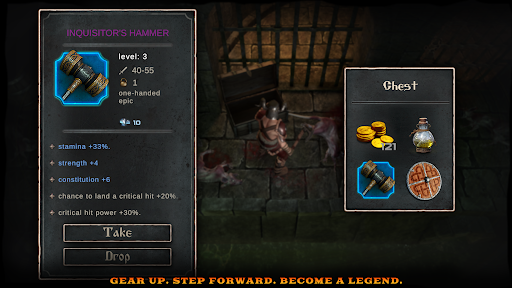
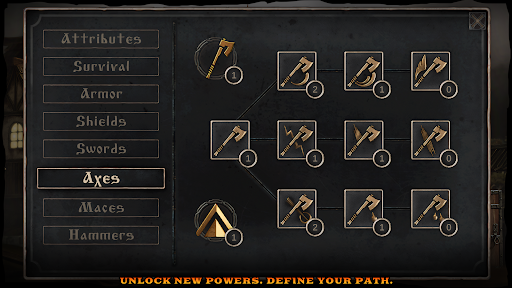
Failure is a common occurrence in Blade of Shadows dungeons. Don’t be discouraged, you can still keep your gold and experience after failure. Upgrade your character, buy quality items, and return to the dungeon with greater power and status than before.
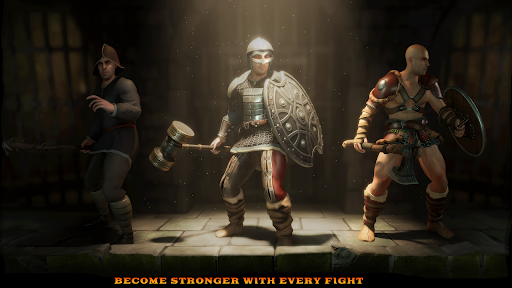
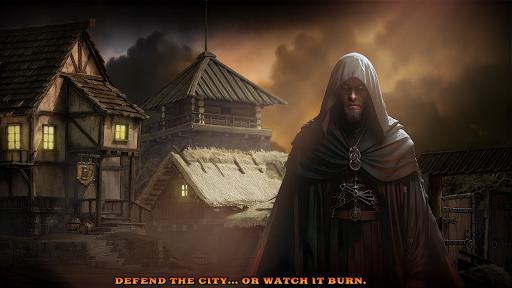
To optimize the graphics for smooth operation on mobile devices, Blade of Shadows has simplified its appearance quite a bit. The 3D models, from environmental objects, items to human and monster models, all have relatively low polygon counts. However, the visuals of Blade of Shadows do not feel rough or sketchy. On the contrary, the game’s graphics are quite aesthetically pleasing.
To compensate for the simplicity of the 3D model, Blade of Shadows focuses a lot on the surface details (texture) of the objects. The game designs surface details very well, especially the objects in the environment. You can clearly see the rough surface on the stone slabs, or the wood grain on the wooden planks. Blade of Shadows also applies normal map texture well, helping the surface details show depth when interacting with light sources.
Blade of Shadows is a game that is very heavy on grinding and power-up. The game requires a lot of time to clear all the levels. If you need a game to experience for a long time, Blade of Shadows is definitely suitable for you.