

Bejeweled Blitz
v2.36.1.11
• Puzzle

| Updated On | |
|---|---|
| Google Play ID | com.ecffri.arrows |
| Category | Puzzle |
| Version | 0.25.0 |
| Size | 140 MB |
| MOD Features | No Ads |
| Requires | Android 7.1 |
| Price | |
| Free | |
| Content Rating | |
| Everyone | |
| Internet Required | |
| Unknow | |

Looking for a casual game that entertains you while putting your observation and reasoning skills to the test? Arrows – Puzzle Escape MOD APK offers an unusual puzzle concept where your mission is to untangle crowded arrow formations and clear every piece from the screen. With thousands of handcrafted challenges, gradually increasing difficulty, and relaxing visuals, this game is an appealing choice for anyone who enjoys solving puzzles at their own pace.
Developed by Lessmore UG, Arrows – Puzzle Escape is a casual logic game that transforms simple directional arrows into surprisingly challenging brain teasers. Rather than matching colorful objects or arranging traditional puzzle pieces, you’ll examine overlapping arrow patterns and figure out the correct order to remove them. The game has attracted a large audience, with more than five million downloads, thanks to its accessible controls and progressively demanding stages. Although the basic concept takes only a moment to understand, finding the right solution becomes increasingly complicated as new formations appear.
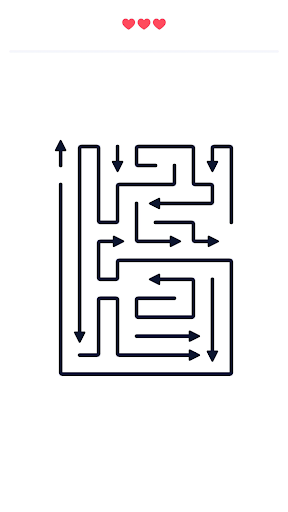
The main objective in Arrows – Puzzle Escape is to remove every arrow from the screen without making unnecessary mistakes. Each arrow points in a particular direction, and you must identify which ones have an unobstructed path before tapping them. Once selected, an arrow automatically moves along its designated route and disappears from the playing area.
The challenge comes from the way these objects overlap and block one another. Removing an arrow at the wrong moment can result in a mistake, so you need to examine the entire formation before deciding which piece to select. Early stages introduce relatively straightforward arrangements that help you understand the directional rules. As you advance, however, the patterns become denser and more complicated, requiring you to think several moves ahead rather than simply tapping whatever looks accessible.
Arrows – Puzzle Escape offers thousands of levels, each introducing a different configuration for you to solve. The initial stages contain only a handful of arrows, making them suitable for learning the basic mechanics. Gradually, the number of pieces increases, their paths become harder to distinguish, and finding an available route requires more careful observation.
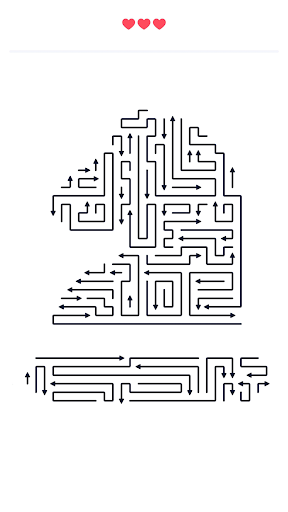
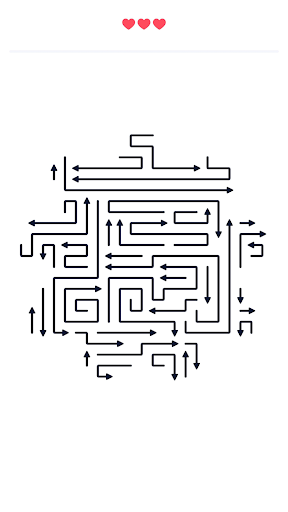
Some later challenges feature extremely long arrows that stretch across large portions of the screen. Others arrange dozens of pieces into unusual silhouettes resembling hearts, flowers, chess pieces, and various geometric patterns. These formations might look attractive initially, but identifying the correct removal sequence can be surprisingly difficult. You’ll need to recognize which arrows are blocking others and determine the most efficient order to clear the board.
The difficulty develops progressively, giving you plenty of opportunities to improve your problem-solving abilities. There is no countdown forcing you to rush through a stage, so you can take your time examining every direction and considering alternative moves. This makes the experience suitable for both quick entertainment sessions and longer puzzle-solving breaks.
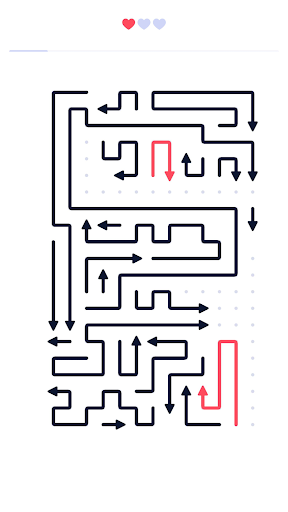
Despite its increasingly complicated levels, Arrows – Puzzle Escape provides several features that prevent the experience from becoming unnecessarily frustrating. Each challenge gives you a limited number of hearts, allowing you to make mistakes before having to restart. Selecting an incorrect arrow consumes one heart, while the affected piece turns red to indicate that your choice was unsuccessful.
The game also provides helpful guidance during certain stages. Guide lines allow you to inspect an arrow’s intended movement and determine whether another piece is blocking its path. This assistance becomes particularly useful when dealing with crowded formations where several arrows appear to overlap. Another practical technique is to zoom in and focus on smaller sections of the board, gradually opening up additional routes as you remove accessible pieces. Rather than randomly testing different arrows, a patient approach will help you preserve your remaining hearts and complete difficult levels more consistently.
Arrows – Puzzle Escape adopts a clean visual style that keeps unnecessary distractions away from the main activity. The arrows and their directional indicators remain the central focus, while the surrounding interface uses simple elements to make navigation straightforward. This minimalist presentation also makes complicated formations easier to examine without overwhelming the screen with excessive visual effects.
You can also switch between light and dark interface themes depending on your viewing preference. Meanwhile, the gentle background music creates a calm atmosphere that complements the game’s thoughtful mechanics. If you prefer solving puzzles without audio distractions, the music can be disabled. These small customization options help make the experience comfortable for different playing environments.
For players who prefer uninterrupted puzzle sessions, the MOD version offers an additional convenience that changes how you experience the game.
No Ads: Enjoy puzzle-solving sessions without advertisements interrupting your progress, allowing you to concentrate on identifying arrow directions and clearing each level.
Ready to challenge your observation skills with thousands of arrow puzzles? Follow this alternative installation guide to find the MOD version on APKMODY and set it up on your Android device.
Find and install the game using these steps:
Open your Android browser and access the APKMODY website.
Enter Arrows – Puzzle Escape MOD APK in the search field to find the corresponding game page.
Check the available MOD version and read its details, including the advertised No Ads feature and device requirements.
Select the download option on APKMODY and wait for the installation package to be saved.
Open your device’s file manager, navigate to the Downloads folder, and tap the downloaded APK.
Follow the Android installation prompts. If your device requests permission to install applications from the browser or file manager, review and authorize the setting as appropriate.
Launch the game and start clearing your first collection of arrow puzzles.