home chevron_right Apps chevron_right Entertainment chevron_right RapidTV


Fizzo – Novel & Drama
v5.5.4
• Unlocked



| Updated On | |
|---|---|
| Google Play ID | com.rapid.short.tv |
| Category | Entertainment |
| Version | 5.4.3 |
| Size | 118 MB |
| MOD Feature | Not available |
| Requires | Android 7.0 |
| Price | |
| Free | |
| Content Rating | |
| Teen | |
| Internet Required | |
| Required | |

RapidTV brings bite-sized dramas to your smartphone, letting you enjoy exciting stories without committing to lengthy television episodes. Each installment typically lasts between one and five minutes, featuring romance, revenge, family conflicts, and unexpected plot twists in a convenient vertical format. Whether you are taking a short break or looking for something entertaining while commuting, this application makes it easy to enjoy dramatic stories whenever you have a few spare minutes.
RapidTV is a mobile streaming platform specializing in short-form drama series. Instead of presenting traditional episodes that require considerable viewing time, the application divides its stories into compact installments that get straight to the main events. This format is particularly convenient for people who prefer quick entertainment without following lengthy television productions.
Despite their short duration, the episodes still deliver plenty of dramatic moments, emotional conflicts, and surprising developments. You can discover stories about complicated relationships, wealthy families, secret identities, and unexpected romances. Its vertical playback system also makes watching more comfortable on smartphones, especially when you only have one hand free.
The biggest attraction of RapidTV is its collection of short dramas designed to capture your attention almost immediately. Each episode usually takes between one and five minutes, allowing you to follow an entire storyline through several quick viewing sessions. Rather than spending multiple episodes establishing the background, many productions introduce their central conflicts early and keep the narrative moving.
You might encounter a romance between a wealthy businessman and an ordinary woman, a complicated marriage involving hidden secrets, or a family dispute that suddenly takes an unexpected direction. These stories often feature dramatic confrontations and surprising revelations, making it tempting to continue watching the next installment. If you enjoy entertainment that delivers emotional moments without lengthy introductions, this format offers a convenient alternative to conventional television series.
Finding something interesting to watch becomes easier with RapidTV’s personalized recommendation system. The application analyzes your viewing activity and preferences to suggest dramas that match your interests. If you frequently watch romantic stories involving wealthy characters, for example, you may encounter more productions featuring similar themes, relationship conflicts, or dramatic plot developments.
The platform also organizes content through categories and thematic tags, helping you discover specific types of entertainment. You can explore topics such as Romance, Revenge, Billionaire, Hidden Child, and Contract Marriage to narrow down your choices. Meanwhile, the For You section highlights recommendations based on your viewing habits, while Trending introduces popular titles that are attracting attention from other viewers. This combination makes browsing more convenient when you do not have a particular series in mind.
RapidTV offers a variety of drama genres to accommodate different viewing preferences. Romance and relationship conflicts are among the central themes, but you can also discover family stories, suspenseful situations, fantasy elements, and narratives involving unexpected identities. Each series is divided into multiple short episodes, allowing you to follow the characters and their development without watching lengthy installments.
Story descriptions provide a quick introduction to each production before you start watching. You might find a plot about an ordinary woman who unexpectedly becomes involved with a powerful businessman or a relationship complicated by a hidden family secret. These dramatic premises are designed to establish curiosity and encourage viewers to discover what happens next. With different themes and storylines available, you can easily switch between series whenever you want a change of atmosphere.
An internet connection is not always available when you want to watch your favorite dramas. RapidTV addresses this inconvenience with an offline viewing option that allows you to download selected episodes directly to your device. This is particularly useful when traveling, commuting through areas with unstable network coverage, or trying to save mobile data.
Instead of downloading an entire series, you can select individual installments that you want to watch later. For example, you might save an episode containing an important plot twist or download several chapters before leaving home. Depending on the available download settings, you can also manage saved content to avoid using unnecessary storage space. This flexibility makes it easier to organize your viewing schedule without depending on a continuous internet connection.
Watching short dramas becomes more entertaining when you can discuss unexpected scenes with other viewers. RapidTV includes a comment section where users can share opinions, react to character decisions, and exchange predictions about upcoming developments. Whether you love a particular character or cannot believe how a storyline unfolds, you have a place to express your thoughts.
You can also interact with other comments by leaving likes and joining ongoing discussions. Some highlighted reactions may appear more prominently, making it easier to discover entertaining opinions from the community. In addition, sharing options allow you to introduce interesting series or memorable scenes to friends through supported social platforms. These features add a social dimension to the viewing experience rather than making it a purely individual activity.
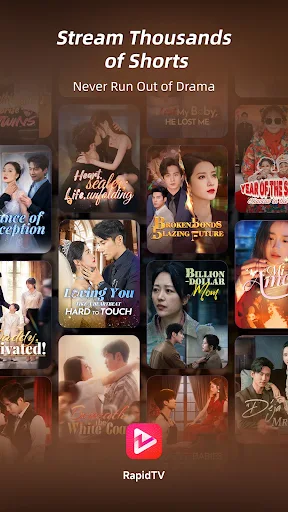
RapidTV focuses on convenience through a straightforward interface that makes finding and watching dramas relatively simple. The home screen presents available series through visual thumbnails, accompanied by titles and relevant episode information. This layout helps you recognize interesting productions quickly without navigating through complicated menus.
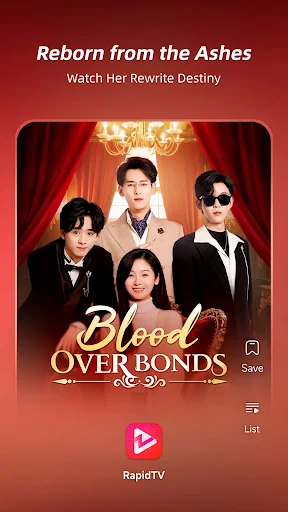
Another notable feature is vertical video playback, which is designed around the way people naturally hold their smartphones. You do not need to rotate your device every time you start an episode, making it comfortable to watch while relaxing or performing other simple activities. Combined with quick content loading and clearly organized viewing sections, the interface provides an accessible experience for users who prefer straightforward mobile entertainment.
RapidTV is worth exploring if you enjoy dramatic stories but prefer shorter episodes that fit into your daily schedule. To experience its streaming features on Android, you can obtain the installation package through APKMODY by following this browser-based guide:
1. Visit the APKMODY homepage
Open Chrome or another browser on your Android device and navigate to the APKMODY website.
2. Search for RapidTV
Enter RapidTV APK into the website’s search bar. Select the matching application from the results to access its download page.
3. Review the application information
Check the available version, application details, and compatibility information before proceeding. Once you have selected the appropriate package, move to the download section.
4. Save the APK package
Tap the download link provided on the page and wait for the file to finish downloading. You can monitor its progress through your browser’s download manager.
5. Install RapidTV on Android
Open your device’s Downloads folder, select the downloaded APK file, and follow the installation prompts. If Android requests additional permission, allow installation from that source before continuing.
6. Open the app and explore
After installation, launch RapidTV, browse the available drama categories, and choose your first series to watch.