
SpeakEasy: Learn English – AI
v3.1.9
• Unlocked
| Updated On | |
|---|---|
| Google Play ID | com.nynix.knots3d |
| Category | Education |
| Version | 12.0.0 |
| Size | 471 MB |
| MOD Feature | Not available |
| Requires | Android 7.0 |
| Price | |
| $5.99 | |
| Content Rating | |
| Everyone | |
| Internet Required | |
| Unknow | |

Knots 3D is a practical learning application that introduces a wide collection of knots through detailed instructions and interactive 3D models. Whether you enjoy camping, fishing, climbing, sailing, or outdoor survival activities, this app helps you understand different tying techniques and their practical applications. Download Knots 3D from APKMODY and build your knot-tying knowledge wherever you go.
Knot tying may seem like a simple skill, but it plays an essential role in many everyday activities and specialized professions. Campers use knots to secure tents, anglers rely on them to connect fishing lines, while climbers need dependable techniques to manage ropes during challenging journeys.
This knowledge is also valuable for sailors, firefighters, military personnel, scouts, gardeners, and people who enjoy handicrafts. In certain situations, choosing and tying the correct knot can make a significant difference to safety and efficiency.
However, remembering dozens of techniques without visual guidance is not always easy. Knots 3D addresses this challenge by organizing different knot types into an accessible learning resource, helping users understand how each one works before applying it in real situations.
Knots 3D stands out with a library containing 177 knot variations designed for different activities and levels of experience. Its collection covers commonly used techniques as well as more specialized options for users who want to expand their knowledge.
The application was recognized by Google Play Editors and was selected as the best scouting app of 2016 by Scout magazine. Another useful advantage is offline accessibility, allowing you to study available tutorials without maintaining an Internet connection.
The library is also designed to receive additional content over time. When new knots become available, notifications help users discover the latest additions without having to check the entire collection manually.
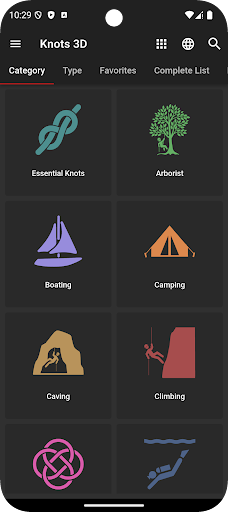
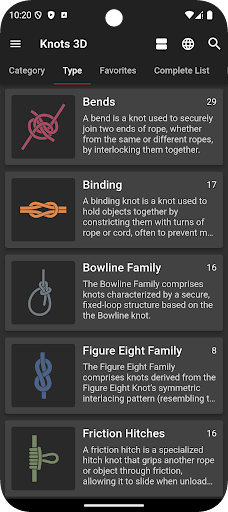
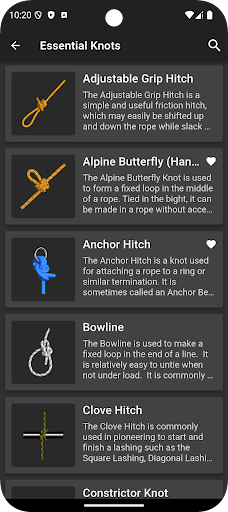
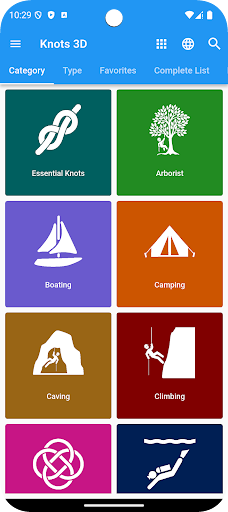
With a large collection of techniques, finding a specific knot could become inconvenient without an organized search system. Knots 3D solves this problem by dividing its library into categories and providing several ways to locate the desired entry.
You can search using a knot’s name, alternative terminology, application area, or difficulty level. The app also offers browsing options based on popularity and commonly viewed techniques, making it easier to discover useful methods beyond your existing knowledge.
These filters are particularly helpful when you know what a knot needs to accomplish but are unfamiliar with its official name. Instead of browsing every entry individually, you can narrow the results and focus on suitable options.
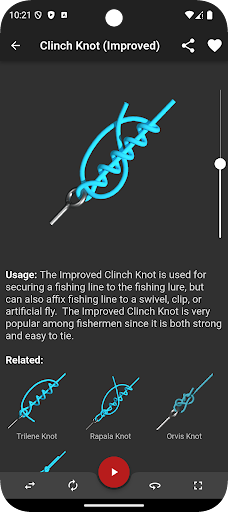
Every knot has a dedicated information page containing details that help users determine whether the technique matches their requirements. Depending on the selected entry, you can explore its intended applications, related fields, difficulty rating, and the characteristics of the finished structure.
The app also recommends similar or related knots, allowing you to compare techniques used for different purposes. This additional information is useful when deciding which method to learn for a particular activity.
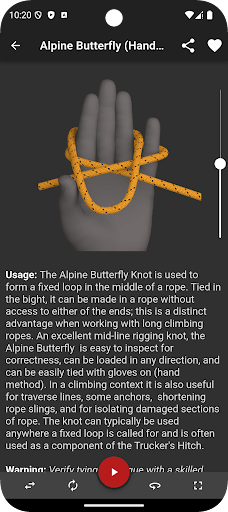
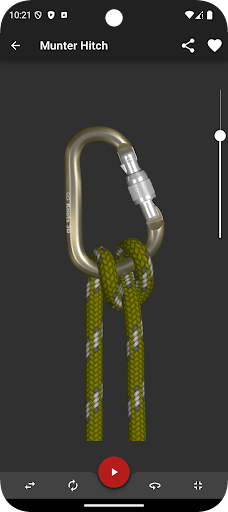
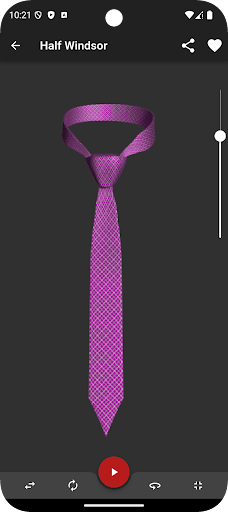
Knots 3D makes learning easier by presenting tying instructions through animations and still images. Each tutorial follows a clear sequence, showing how the rope moves and how individual sections connect to form the completed knot.
You can pause the animation, rewind to an earlier stage, or zoom in on specific areas whenever a movement is difficult to understand. Both portrait and landscape viewing modes are supported, giving you flexibility when studying the instructions.
The interactive 3D viewer is one of the application’s most useful features. Rather than relying on a fixed camera angle, you can rotate each knot through 360 degrees to examine its structure from different perspectives.
Users can also interact directly with the model by touching and moving their fingers across different sections. This makes it easier to inspect overlapping ropes, understand how individual strands pass through one another, and recognize the final arrangement.
By combining animation with hands-on visual exploration, Knots 3D provides a more intuitive learning experience than static illustrations alone.
Knots 3D supports both Light and Dark modes, allowing users to select a display style that feels comfortable in different environments. The interface is designed to keep essential information accessible without overwhelming the screen with unnecessary elements.
The application offers a straightforward experience without intrusive advertisements or compulsory account registration. You also do not need to make additional in-app purchases to access its basic learning environment.
Combined with offline functionality, these features make Knots 3D a convenient reference tool for studying knot techniques at home or while preparing for outdoor activities.
Knots 3D is available in multiple languages, making its collection of knot tutorials accessible to users from different regions. If you want to explore the application, start by visiting APKMODY and searching for Knots 3D. Open the corresponding download page to check the available version and Android compatibility, then use the provided download option to save the APK package. Once the file is ready, locate it in your device’s file manager, open it, and follow the on-screen installation instructions. After setup is complete, launch the app and begin exploring its knot library.