
Gaminik: Auto Screen Translate
v5.3.2
• Utilities
| Updated On | |
|---|---|
| Google Play ID | com.franco.kernel |
| Category | Utilities |
| Version | 7.0.48 |
| Size | 8 MB |
| MOD Feature | Not available |
| Requires | Android 8.0 |
| Price | |
| $2.49 | |
| Content Rating | |
| Everyone | |
| Internet Required | |
| Unknow | |

Does your Android phone lose battery power even when you barely use it? Background processes, demanding applications, and system activity can all contribute to unnecessary power consumption. Franco Kernel Manager MOD APK provides detailed device monitoring tools and advanced controls, helping experienced users understand their hardware performance and fine-tune supported settings.
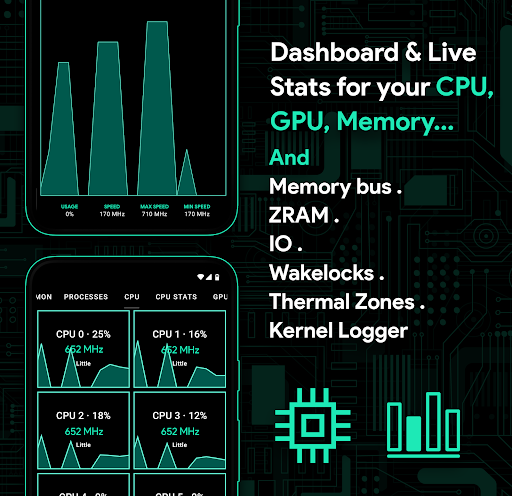
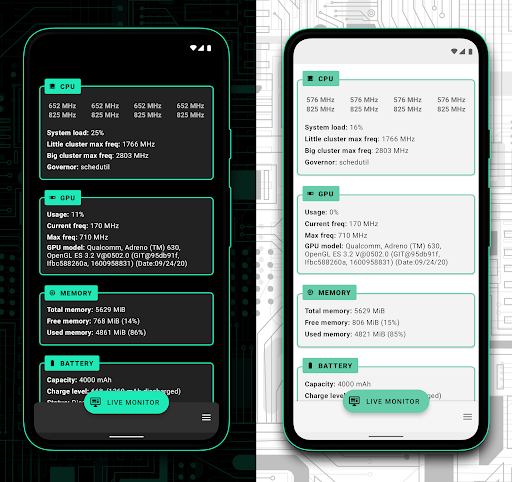
Franco Kernel Manager is an Android utility designed to monitor system performance and manage various hardware-related settings. It provides information about components such as the CPU, GPU, battery, memory, ZRAM, and system activity, giving users a clearer picture of how their devices operate.
Beyond displaying statistics, the application offers tools for adjusting supported kernel parameters and performance profiles. This makes it particularly useful for Android enthusiasts who want more control over their device’s behavior. However, some advanced functions require root access, and the available options depend on the device, kernel, and Android version.
Root permissions give the application access to deeper system-level controls. Users should understand the changes they make before modifying these settings, since incorrect configurations may affect stability, battery life, or performance.
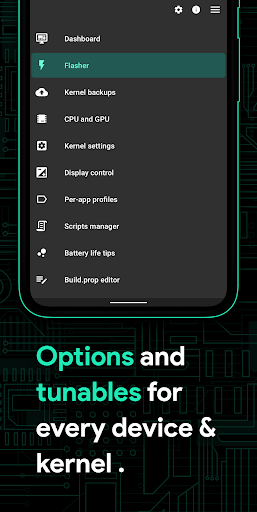
Franco Kernel Manager presents technical information through a relatively straightforward interface. Its dashboard organizes important statistics and settings into accessible sections, allowing users to check device activity without navigating through complicated system menus.
The layout is especially helpful when monitoring several hardware components at once. Instead of relying on separate applications for every measurement, you can review key information in one place and quickly identify settings that may need attention.
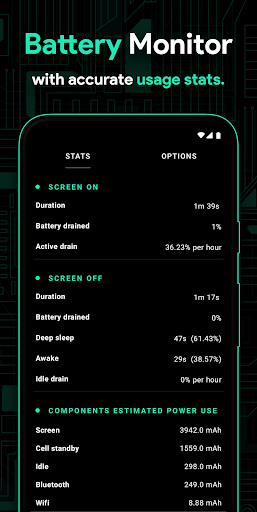
Battery monitoring is one of the most useful aspects of Franco Kernel Manager. The application provides information about battery activity, power consumption, and related statistics, helping users understand how their devices behave throughout the day.
By reviewing available battery data, you can identify periods of unusually high consumption and investigate which processes or applications may be contributing to the problem. Some versions and device configurations also provide battery usage estimates based on current consumption.
Keep in mind that monitoring battery statistics does not automatically stop background applications or repair a deteriorating battery. You may still need to adjust app permissions, background activity, or Android power settings separately. The application is best viewed as a diagnostic and management tool rather than an automatic battery-saving solution.
The dashboard provides access to detailed hardware measurements, including CPU and GPU information. Users can inspect operating frequencies, activity levels, and other supported parameters to understand how their devices respond to different workloads.
These statistics can be particularly useful when testing demanding applications or mobile games. For example, you may compare processor behavior during ordinary browsing with its activity under heavier workloads. Depending on the device and kernel, Franco Kernel Manager may also let you adjust supported frequency limits or performance-related settings.
Such adjustments should be made carefully. Increasing clock speeds or changing system parameters without understanding their effects can lead to overheating, instability, or excessive battery consumption.
Franco Kernel Manager goes beyond passive monitoring by offering controls for supported kernel settings. Users can configure certain CPU-related parameters and other available options to suit different usage scenarios.
For example, you may prefer a more conservative configuration when prioritizing battery efficiency or a performance-focused setup when running demanding applications. The exact controls vary according to hardware compatibility and root access.
It is worth remembering that changing CPU or memory settings does not guarantee better results. A device’s thermal limits, kernel implementation, and hardware capabilities all influence the outcome. Make small adjustments and test system stability before applying more extensive changes.
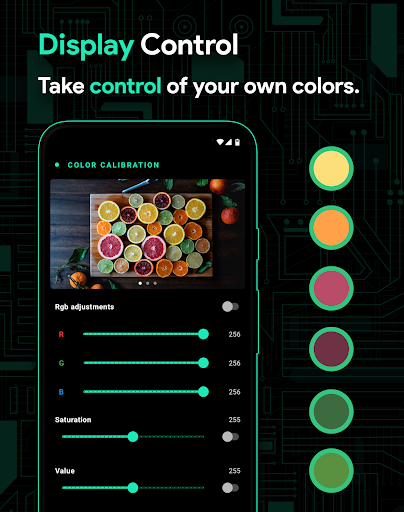
Night Shift provides a warmer display appearance by reducing the amount of blue light emitted by the screen. Users can adjust the color temperature to make nighttime viewing more comfortable, especially in darker environments.
This feature is useful for people who frequently use their phones before bedtime. However, reducing blue light does not eliminate all potential effects of screen exposure, so adjusting screen brightness and limiting prolonged use are still sensible habits.
Franco Kernel Manager is a paid application on Google Play, although its price may vary depending on the region and current store listing. Users should check the official listing for the latest purchase information. Modified editions may advertise unlocked features, but they are unofficial and may not receive the same support or updates as the original app.
Some monitoring functions may work without root, but advanced kernel controls generally require elevated permissions. The features available to you depend on your Android device, kernel compatibility, and root configuration. If your phone is not rooted, certain settings may remain inaccessible.
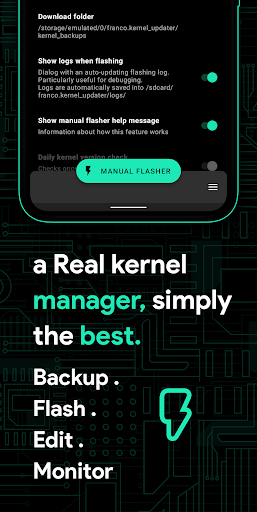
The original application is a system management utility, but using advanced controls still involves some risk. Incorrect kernel adjustments can cause performance issues, overheating, unexpected restarts, or other stability problems. Download the app from a trusted source, review each setting before changing it, and create a backup when possible.
Modified APK files require additional caution because their contents and reliability may differ from the official release. Avoid granting root access to packages whose source you cannot verify.
If you want to explore the application’s monitoring tools and advanced settings, you can look for Franco Kernel Manager on APKMODY. Before proceeding, use the following checks to select and install the appropriate package:
| Stage | What To Do |
|---|---|
| Locate the app | Visit APKMODY and search for Franco Kernel Manager. |
| Check compatibility | Review the available version, Android requirements, and listed MOD details. |
| Choose the package | Select the original APK or modified edition according to your needs. |
| Download the file | Follow the download link and wait until the installation package is saved completely. |
| Install on Android | Open the downloaded APK, allow installation from that source if prompted, and follow the system instructions. |
| Configure the app | Launch Franco Kernel Manager and review the permissions and available functions before making any system changes. |