

App Backup Restore Transfer
v7.7.2
• Pro Unlocked
| Updated On | |
|---|---|
| Google Play ID | com.avast.android.mobilesecurity |
| Category | Utilities |
| Version | 26.21.0.261104066 |
| Size | 79 MB |
| MOD Features | Premium Unlocked |
| Requires | Android 10 |
| Price | |
| Free | |
| Content Rating | |
| Everyone | |
| Internet Required | |
| Not Required | |

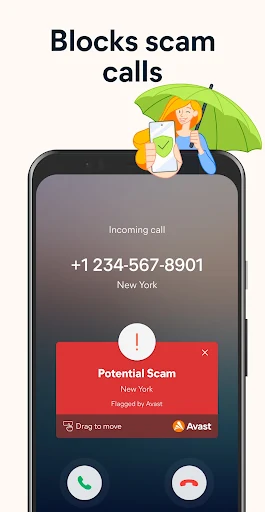
Avast Antivirus is a mobile security application designed to protect Android devices against viruses, malware, phishing attempts, and other online threats. Beyond its core scanning capabilities, the app provides privacy protection, Wi-Fi security checks, Web Shield, and useful device management tools. With its combination of security features and an accessible interface, Avast Antivirus helps users maintain a safer mobile experience.
Protect your smartphone with a collection of features designed to detect threats, safeguard personal information, and reduce potential security risks.
Avast Antivirus is a mobile security application developed by Avast, a well-known cybersecurity company. Its primary purpose is to identify malicious software, scan suspicious files, and help prevent harmful applications from compromising your device. Instead of relying entirely on manual checks, users can access automated scanning and security notifications to monitor potential threats.
The application also includes additional utilities that extend beyond traditional antivirus protection. Depending on the version and subscription, these may include VPN services, privacy monitoring, Wi-Fi security analysis, and application locking. Avast has built a substantial global user base over the years, making its mobile security products familiar to people looking for accessible protection on Android devices.
Protecting your personal information is an important part of mobile security. Avast Antivirus helps identify applications that may contain suspicious components, track user activities, or display potentially unwanted advertising. Through security alerts and scanning reports, you can review detected risks and decide which applications should remain on your smartphone.
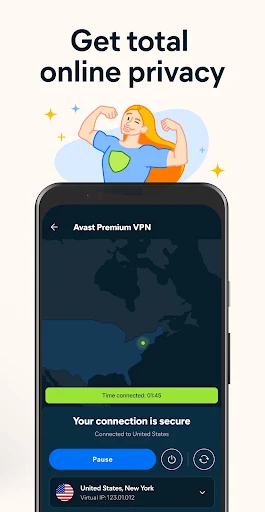
Another useful addition is VPN functionality in supported versions. A virtual private network encrypts supported internet traffic and helps conceal your public IP address while connected. This can provide additional privacy when browsing through unfamiliar or public Wi-Fi networks. The application also helps identify suspicious links and phishing websites, reducing the risk of accidentally sharing sensitive information with untrusted sources.
Avast Antivirus provides scanning tools that examine applications, files, and other supported areas of your device for potential security threats. When suspicious content is identified, the application displays notifications and offers options to address the issue. Regular scans are useful for checking newly installed applications and identifying files that may pose a security risk.
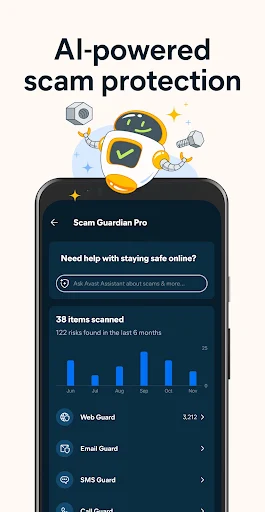
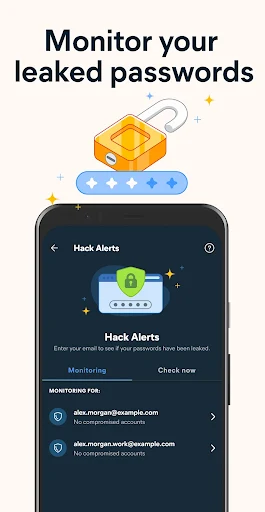
In addition to malware detection, the application offers security utilities that help users monitor their digital information. Certain versions include features for checking potential data breaches and identifying compromised passwords. These alerts allow you to take action, such as changing exposed credentials or reviewing the security settings of affected accounts. While no antivirus can guarantee complete protection against every cyberattack, regular scanning and responsible application management can significantly improve your device’s security.
Keeping your smartphone organized can make everyday use more convenient. Avast Antivirus includes cleanup-related utilities in supported versions, helping users identify temporary files, cached data, and other unnecessary items that occupy storage space.
The application may also recommend reviewing rarely used applications and other content that could be removed. By managing these items, you can make additional room for photos, videos, documents, and new applications. However, cleanup tools do not automatically guarantee faster performance or increased RAM, so it is worth reviewing suggested files before deleting them.
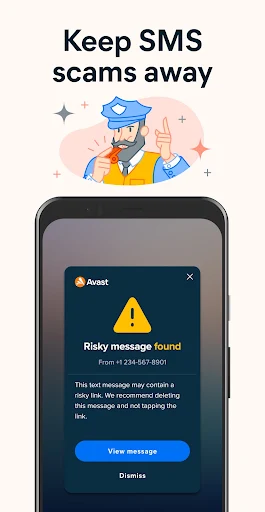
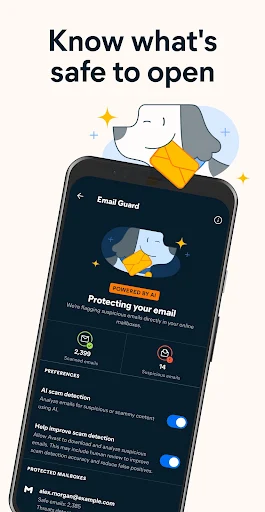
Web Shield is one of the useful security components available in Avast’s mobile protection ecosystem. Its purpose is to help identify dangerous websites, suspicious URLs, and potentially harmful online content before they cause problems. This is particularly valuable when browsing unfamiliar pages or following links received through messages and emails.
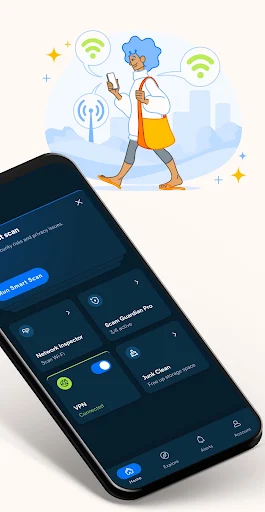
Avast also provides Wi-Fi security analysis to help users evaluate the safety of their network connections. Depending on the available version, you can review information about a connected network and identify potential weaknesses that deserve attention. These tools offer additional awareness when using public hotspots, although they cannot guarantee that every network is completely safe.
The application may also provide information about installed apps, allowing you to review their permissions and other relevant details. This makes it easier to identify applications that request unnecessary access to sensitive information and decide whether they are appropriate for your device.
The Premium edition expands the standard experience with additional privacy and security functions. Depending on the subscription and regional availability, users may gain access to features that provide greater control over sensitive applications and personal information.
Some notable benefits include:
Anti-Theft Tools: Certain security features help locate a missing device or provide information about its last known location, depending on the available configuration and permissions.
App Lock: Allows you to protect selected applications with a PIN, pattern, or supported biometric authentication method, helping prevent unauthorized access.
Ad-Free Experience: Removes advertisements within the supported application experience, creating a cleaner interface.
Advanced Protection: Provides access to additional security and privacy functions reserved for eligible Premium subscribers.
These features make the paid edition suitable for users who want more control over their mobile security settings and personal data.
The Avast Antivirus MOD APK available on APKMODY introduces a Premium Unlocked modification intended to provide access to selected paid functions without the regular subscription requirement.
Premium Unlocked: Unlocks eligible Premium features included in the supported MOD release.
Additional Security Tools: Provides access to selected advanced protection options.
Enhanced Privacy Functions: May include premium privacy utilities available in the modified version.
Expanded Application Experience: Reduces restrictions associated with certain paid features.
Important: MOD versions are unofficial and may not receive legitimate security updates. Since Avast Antivirus is designed to protect sensitive information, using a modified security application can introduce additional risks. The official version is recommended for reliable protection.
Follow this alternative installation guide to find the correct Avast Antivirus version and install it on your Android device.
Part 1: Locate the download page
Open Chrome or another browser on your Android smartphone.
Visit the APKMODY website.
Enter Avast Antivirus in the search field.
Select the matching application from the search results.
Read the version information and review the available download options.
Part 2: Get the installation file
Decide whether you want the standard APK or Premium Unlocked MOD.
Select the corresponding download option on the APKMODY page.
Wait for the download process to finish.
Open your browser’s download history or the device’s file manager to locate the APK.
Part 3: Install and configure the application
Tap the downloaded APK file to open the installation screen.
If Android blocks the installation, navigate to Settings and grant the required permission to your browser or file manager.
Return to the APK file and select Install.
Wait until the installation process is completed.
Launch Avast Antivirus and review its available security settings.
Part 4: Run your first security check
Open the scanning feature and start an initial device scan.
Review any warnings or suspicious applications identified by the software.
Configure the available privacy and Wi-Fi security options.
Keep your security settings updated and review notifications regularly.