

Strategy & Tactics 2: WWII
v4.4.6
• Unlimited Gold
| Updated On | |
|---|---|
| Google Play ID | com.playdigious.dungeonoftheendless |
| Category | Strategy |
| Version | 1.3.21 |
| Size | 289 MB |
| MOD Feature | Not available |
| Requires | Android 6.0 |
| Price | |
| $7.49 | |
| Content Rating | |
| Teen | |
| Internet Required | |
| Not Required | |

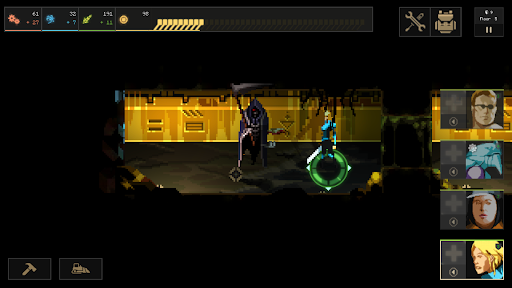
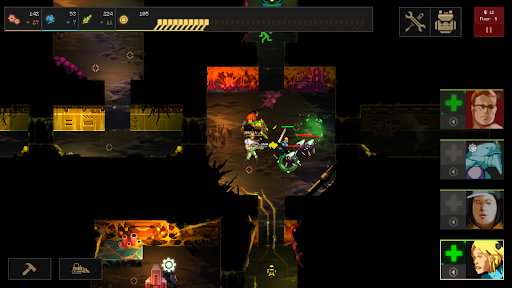
Dungeon of the Endless: Apogee APK combines roguelike exploration, tactical combat, and strategic base defense in a mysterious alien world. You must lead a group of survivors through dangerous underground facilities while protecting the generator of their crashed spaceship. With randomly generated dungeons, resource management, and waves of hostile monsters, every expedition becomes a new test of survival.
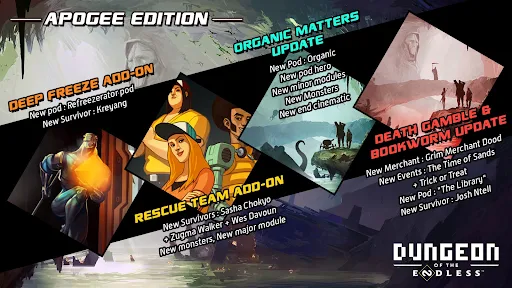
Dungeon of the Endless: Apogee is a dungeon-crawling strategy game that brings together several gameplay elements, including hero management, tower defense, and roguelike progression. This edition includes the base game alongside five DLC expansions, offering additional content for players who want to explore more of its challenging universe.
The story begins aboard the Success, a spaceship transporting hundreds of convicted criminals to Auriga, a remote prison colony. The prisoners are expected to spend the rest of their lives working on an unfamiliar planet, making the journey seem more like a permanent sentence than an opportunity for redemption.
However, Auriga is not an ordinary destination. Once inhabited by the ancient Endless civilization, the planet contains valuable resources, mysterious ruins, and remnants of advanced technology. Unfortunately, an unexpected defense system surrounding the planet activates as the Success approaches, causing the spacecraft to crash toward the surface.
The impact triggers an emergency mechanism that releases the prisoners from their restraints, allowing several survivors to escape the wreckage. Although they initially survive the accident, their situation quickly becomes more dangerous when they discover the hostile creatures inhabiting the underground structures.
You play as one of these survivors and must cooperate with other escaped prisoners to find a way out. As the group ventures deeper into Auriga, they gradually uncover forgotten secrets and the truth behind the planet’s mysterious history.
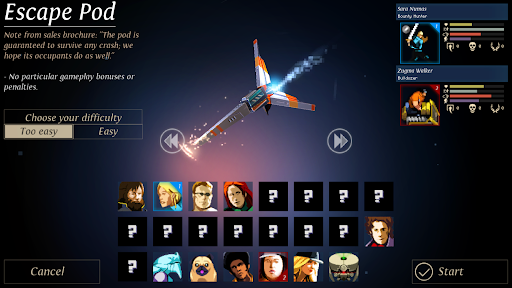
Surviving Auriga requires more than individual combat skills. You need to assemble a team of characters with different personalities, abilities, and strengths to handle the dangers waiting inside the dungeons.
Each survivor brings something valuable to the group. Some are better suited to direct combat, while others can provide support or contribute to resource management and defensive operations. Selecting compatible teammates is important because the wrong combination may leave your squad vulnerable during difficult encounters.
The relationships between characters also add an interesting element to team management. Former prisoners and guards may have different personalities and motivations, so maintaining an effective group requires careful decisions. Building a balanced squad gives you more flexibility when exploring unfamiliar rooms and dealing with unexpected monster attacks.
One of the central challenges in Dungeon of the Endless: Apogee is protecting the generator recovered from your crashed spaceship. This device is essential to your expedition, and losing it can bring your entire attempt to an end.
During exploration, you will collect Dust, an important resource used to power different rooms throughout the dungeon. Choosing which areas receive electricity is a major strategic decision because powered rooms can provide useful advantages and activate defensive facilities.
You can also construct various modules to strengthen your position against incoming enemies. These include defensive structures and support facilities that help your team survive increasingly dangerous attacks. However, resources are limited, so you must decide carefully when to expand your defenses and when to save materials for later stages.
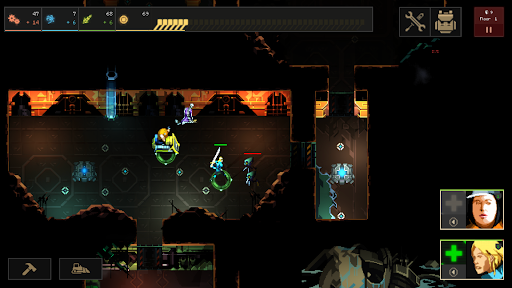
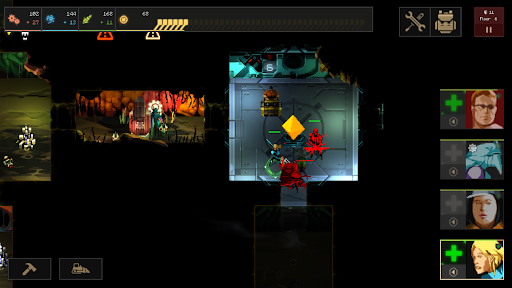
The underground facilities of Auriga contain numerous interconnected rooms, each potentially hiding valuable resources, hostile creatures, or unexpected encounters. Opening a new door reveals another section of the dungeon, but you never know exactly what will be waiting on the other side.
This uncertainty is one of the defining elements of the roguelike experience. Different layouts and enemy encounters require you to adjust your approach instead of relying on a single strategy throughout the expedition.
Your objective is to move the generator through each floor and find the exit while protecting your team from pursuing monsters. Every successful escape brings you closer to the deeper sections of Auriga, where greater challenges and additional discoveries await.
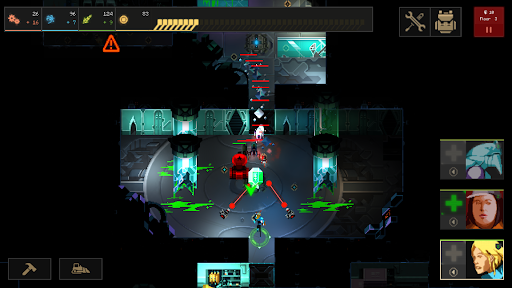
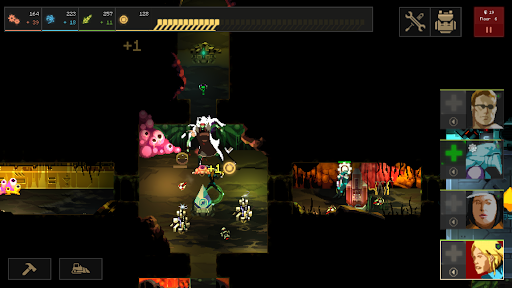
Combat in Dungeon of the Endless: Apogee requires careful positioning and preparation. Monsters can emerge from unpowered rooms and attack your team, making room management just as important as choosing the right weapons.
You must coordinate your heroes, use their individual abilities, and position them effectively to prevent enemies from overwhelming your defenses. Constructing suitable modules before opening dangerous areas can also make a significant difference during encounters.
As you progress, stronger opponents and more complicated dungeon layouts will test your ability to manage resources and react quickly. Upgrading your equipment and improving your team composition are essential steps toward surviving the later stages.
Dungeon of the Endless: Apogee uses a distinctive visual presentation built around compact environments, stylized characters, and dark science-fiction settings. Instead of relying on realistic graphics, the game combines simplified designs with carefully selected colors to create an atmosphere that feels both mysterious and dangerous.
The dungeon environments feature different layouts, lighting conditions, and technological structures that reflect the history of Auriga. Monster designs and combat effects also contribute to the sense of danger without making the screen unnecessarily complicated.
Although the exploration areas may feel somewhat limited compared with larger open-world adventures, the changing dungeon layouts and strategic encounters provide enough variety to maintain interest. The overall presentation works particularly well with the game’s tactical gameplay.
Dungeon of the Endless: Apogee includes the original game and five DLC expansions, giving players access to a broader collection of content within the same experience.
These additions expand the adventure with further content and gameplay possibilities, making the Apogee edition an appealing option for players who want more than the standard release. The additional material also gives returning players more reasons to revisit the dangerous facilities of Auriga.
If you want to experience this roguelike adventure on Android, you can look for Dungeon of the Endless: Apogee through APKMODY. Before installing, check the available release information and make sure your device meets the listed requirements.
Follow this installation process:
Launch a browser on your Android smartphone and navigate to the APKMODY website.
Browse the website’s game category or enter Dungeon of the Endless: Apogee APK into the search box.
Open the matching game page and read the description to identify the available edition.
Check the APK version, file size, Android compatibility, and included content before proceeding.
Select the download option provided on the page and wait for the APK package to be saved.
Once the file is available, open your Android file manager and locate the downloaded package.
If the system requests additional authorization, access the relevant security settings and allow your file manager to install applications from that source.
Return to the downloaded package and confirm the installation.
After Android completes the process, launch the game and check that it loads correctly.